


AniFuzion is an innovative online animation tool developed by Visual Paradigm, designed to make animated video creation accessible to everyone, regardless of their design skills or prior experience. This guide will walk you through the features, benefits, and step-by-step process of creating captivating animated videos using AniFuzion.
Key Features of AniFuzion
User-Friendly Interface
AniFuzion boasts an intuitive interface that is easy to navigate, making it ideal for beginners. The platform ensures that users can focus on their creative ideas without getting bogged down by technical complexities.
Extensive Library
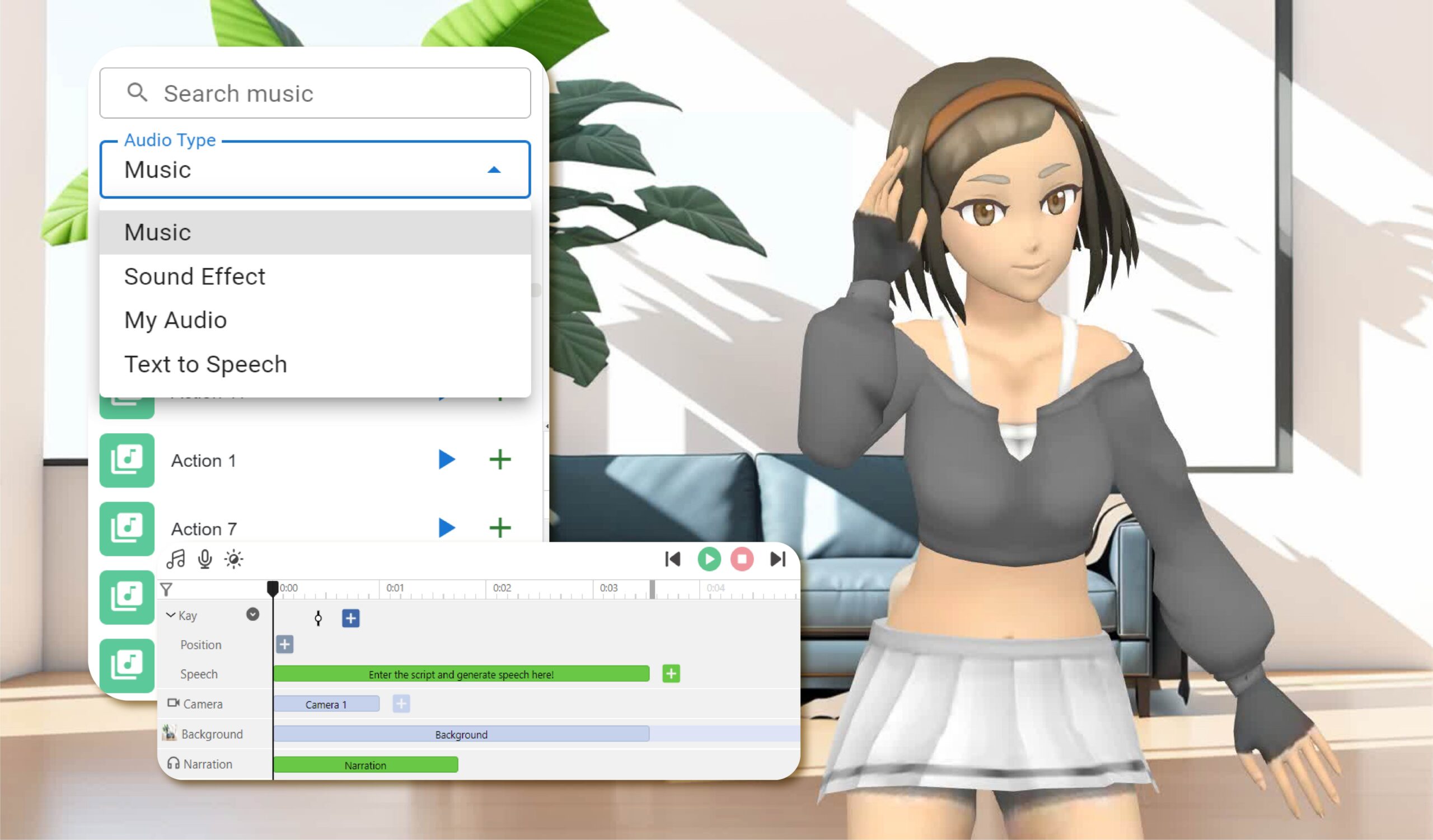
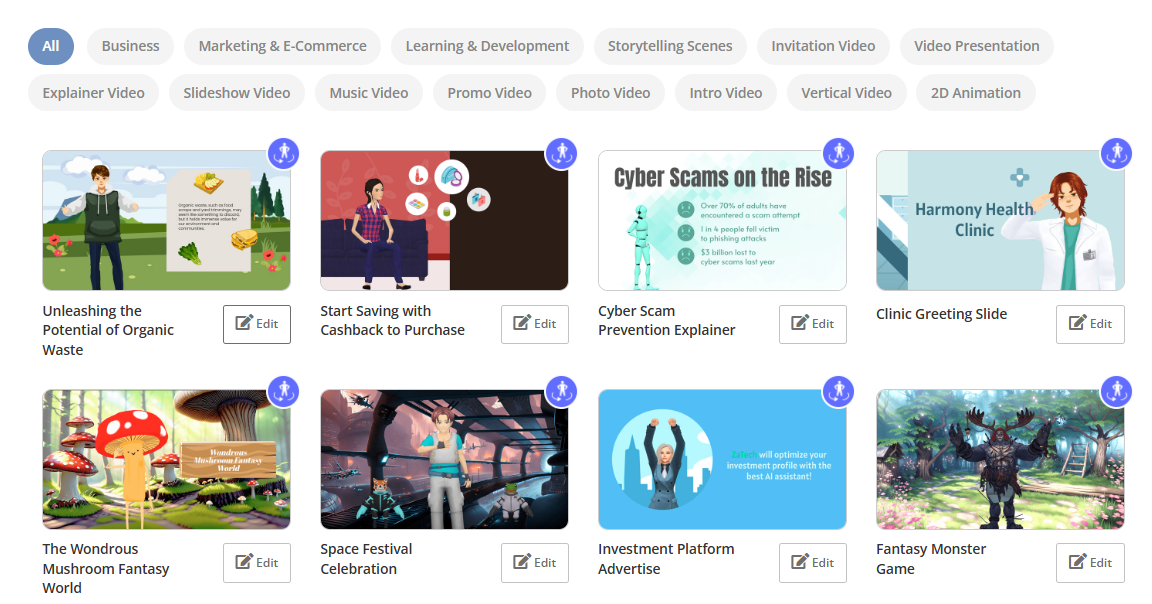
One of the standout features of AniFuzion is its vast library of templates, characters, music, and backgrounds. This extensive collection caters to various needs and styles, allowing users to create unique and engaging content. The library includes customizable 2D and 3D characters, backgrounds, and props, offering a wide range of styles to choose from.
All-in-One Animation Maker
AniFuzion simplifies the animation process by integrating all necessary tools into a single platform. This all-in-one approach allows users to handle every aspect of video creation seamlessly, from conceptualization to final rendering.
Versatile Video Types
AniFuzion supports a wide range of video types, including:
- Explainer videos
- 2D animations
- Promo videos
- Slideshow videos
- Photo videos
- YouTube video intros
- Music videos
- Vertical videos
- Invitation videos
This versatility makes AniFuzion suitable for various applications, from educational content to marketing materials.
Advanced Animation Capabilities
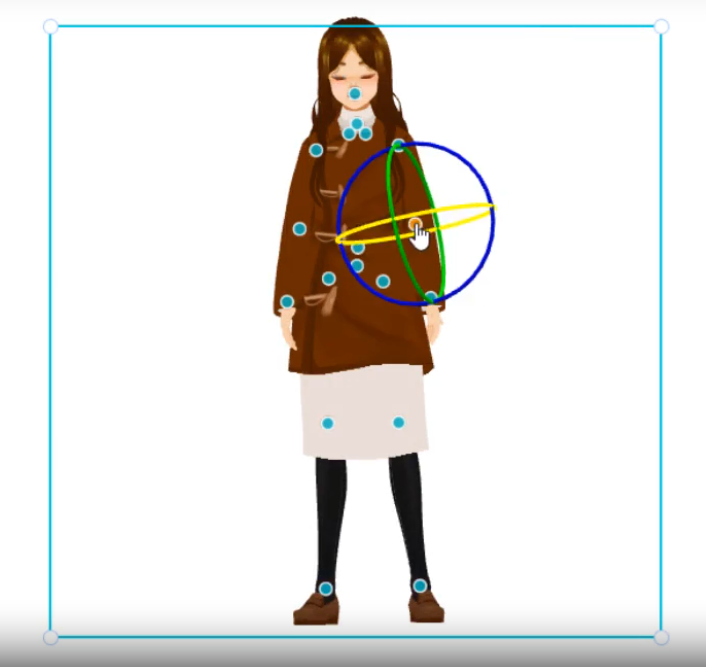
AniFuzion provides powerful animation tools such as motion paths, effects, and customizable timings. Users can create unique character families and customize actions to bring their stories to life. These advanced features enable users to produce professional-quality animations with ease.

Automatic Lipsync
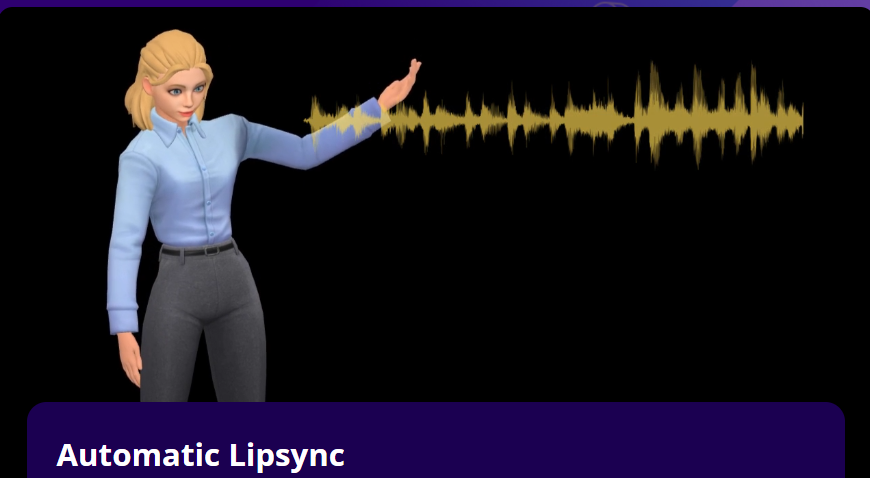
To ensure seamless integration between audio and visuals, AniFuzion offers automatic lipsync. This feature synchronizes the character’s mouth movements with the audio, enhancing the overall viewing experience.

AI Text-to-Speech (TTS)
AniFuzion’s AI Text-to-Speech feature allows users to generate voices with various accents and emotions. This tool is particularly useful for creating voiceovers without the need for professional voice actors, making the video creation process more accessible and cost-effective.
Animated Flipbooks
AniFuzion enables users to create engaging flipbook-style animations. These animations can be shared via hyperlink, embed code, or social media, making it easy to distribute content across various platforms.
Easy Sharing
Once a project is complete, AniFuzion allows users to export their videos as MP4 files. Additionally, flipbooks can be shared through hyperlinks, embed codes, or directly on social media platforms, facilitating easy distribution and promotion.
Steps to Create an Animated Video with AniFuzion
1. Brainstorm and Plan
The first step in creating an animated video is to brainstorm and plan your ideas. Develop a storyline, identify the key characters, and determine the message you want to convey. This planning phase is crucial for ensuring a cohesive and engaging final product.
2. Customize and Animate
Using AniFuzion’s customization and animation features, bring your characters to life. Customize pre-designed actions and utilize the extensive library of templates, characters, and backgrounds to create visually appealing scenes.
3. Add Voiceovers and Sound Effects
Generate professional-grade voiceovers using AniFuzion’s text-to-speech feature. Add sound effects to enhance the audio experience and make your video more immersive. The AI Text-to-Speech tool allows you to experiment with different accents and emotions, adding depth to your characters.
4. Apply Visual Effects
Add motion to text, shapes, and objects using AniFuzion’s animation presets. These visual effects can help emphasize key points and make your video more dynamic. Experiment with motion paths and customizable timings to create smooth and engaging animations.
5. Finalize and Render
Integrate your scenes and props, ensuring a cohesive flow throughout the video. Once you are satisfied with the final product, render the video using AniFuzion’s rendering tools. The platform supports high-quality exports, ensuring that your video looks professional and polished.
Applications of AniFuzion
AniFuzion’s versatility makes it suitable for various applications, including:
- Education: Create engaging educational content, such as explainer videos and interactive lessons.
- Marketing: Develop promotional videos, product demos, and social media content to enhance your marketing efforts.
- Business Presentations: Produce professional presentations with animated elements to captivate your audience.
- Content Creation: Create entertaining content for platforms like YouTube, TikTok, and Instagram.
Conclusion
AniFuzion revolutionizes animated video creation by making it accessible to beginners and professionals alike. With its user-friendly interface, extensive library, and advanced animation capabilities, AniFuzion empowers users to bring their creative ideas to life. Whether you are creating educational content, marketing materials, or entertaining videos, AniFuzion provides the tools and resources needed to produce high-quality animations with ease.
References
- How AniFuzion Revolutionizes Animated Video Creation for Beginners
- From Idea to Animation: A Step-by-Step Guide to Creating Your First Video
- A Comprehensive Guide to Creating Animated Videos with AniFuzion
- Mastering AniFuzion: A Comprehensive Guide to Creating Professional Animations
- AniFuzion Official Website
- Creating Captivating Animated Videos with Visual Paradigm Online’s AniFuzion and Fliplify
- AniFuzion: The Ultimate Animation Video Maker
- Why AniFuzion is the Best Choice for Your Animated Video Needs
This comprehensive guide provides an in-depth look at AniFuzion’s features and the steps involved in creating animated videos using this powerful tool. Whether you are a beginner or an experienced content creator, AniFuzion offers the resources and support needed to bring your animated ideas to life.