
Comprehensive Guide to Using Visual Paradigm for ArchiMate Modeling
Visual Paradigm is a powerful enterprise architecture tool that supports the ArchiMate modeling language, enabling users to create detailed and standardized enterprise architecture models. This guide will walk you through the key aspects of using Visual Paradigm for ArchiMate modeling, providing examples and resources to help you get started.
Key Aspects of ArchiMate Support in Visual Paradigm
Comprehensive Support
Visual Paradigm offers full support for the ArchiMate language, including all its elements and relationships. This comprehensive support ensures that you can model any aspect of your enterprise architecture using standardized ArchiMate notation.
Example: When modeling a business process, you can use ArchiMate elements such as “Business Process,” “Business Actor,” and “Business Service” to represent different components of your enterprise architecture.
Latest Specification
Visual Paradigm implements a meta-model according to the latest ArchiMate 3.1 specification. This ensures that your models are up-to-date with the latest standards and best practices in enterprise architecture.
Example: If you are modeling a technology layer, you can use the latest ArchiMate 3.1 elements such as “Technology Function,” “Technology Service,” and “Technology Interface” to represent the technological aspects of your architecture.
Certified Tool
Visual Paradigm is an Open Group certified tool on ArchiMate 3. This certification ensures that the tool adheres to the highest standards of ArchiMate modeling, providing reliability and accuracy in your models.
Example: When creating an ArchiMate model, you can be confident that the elements and relationships you use are compliant with the ArchiMate 3 standard, ensuring consistency and interoperability with other ArchiMate tools.
Integration with TOGAF ADM
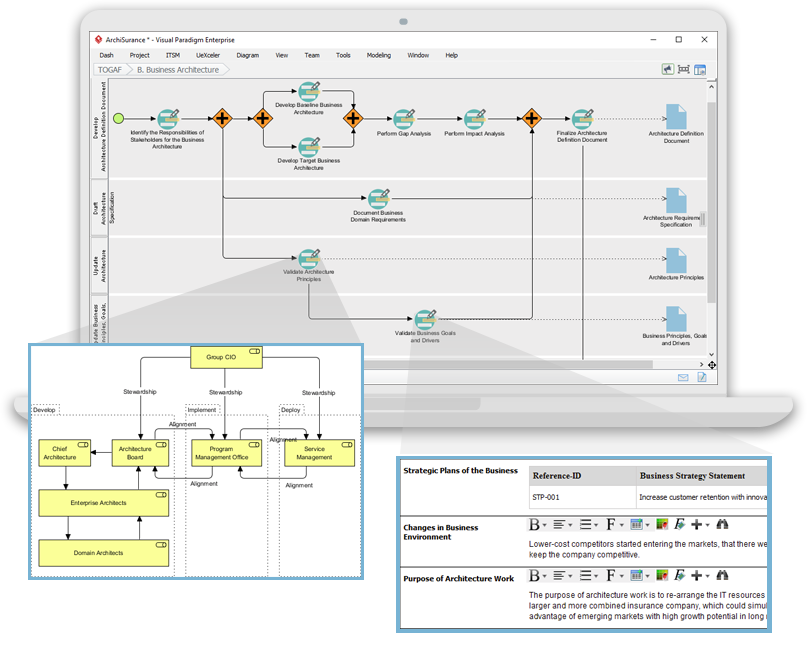
Visual Paradigm integrates ArchiMate with the TOGAF Architecture Development Method (ADM), providing a structured approach to developing and managing architecture. This integration helps align your ArchiMate models with the TOGAF ADM phases, ensuring a cohesive approach to enterprise architecture.
Example: When using Visual Paradigm, you can map your ArchiMate models to the TOGAF ADM phases, such as Architecture Vision, Business Architecture, Information Systems Architecture, and Technology Architecture, to ensure a structured and comprehensive approach to enterprise architecture.
Viewpoints
Visual Paradigm supports the ArchiMate Viewpoint Mechanism, enabling users to create model views with official or user-defined viewpoints. This feature allows you to tailor your models to specific stakeholder needs, providing relevant and focused views of your architecture.
Example: You can create a viewpoint for a business stakeholder that focuses on the business processes and services, while creating a separate viewpoint for a technology stakeholder that focuses on the technology functions and services.
Templates and Examples
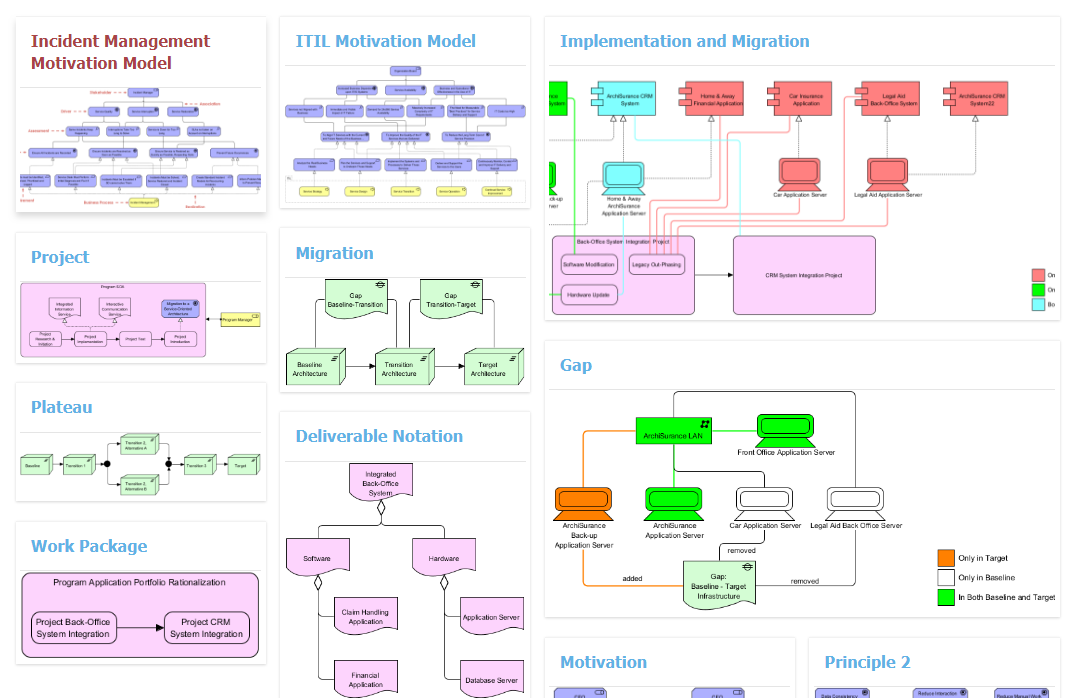
Visual Paradigm offers diagram templates and examples to help users get started with ArchiMate modeling. These templates provide a starting point for creating your models, saving time and effort.
Example: You can use the “Business Process Model” template to quickly create a model of your business processes, or the “Technology Layer Model” template to model the technological aspects of your architecture.
Cross-Layer Modeling
Visual Paradigm allows modeling relationships across different layers, such as linking business processes to applications and infrastructure. This feature enables you to create comprehensive models that span the entire enterprise architecture.
Example: You can model a business process and link it to the applications and infrastructure that support it, providing a holistic view of your enterprise architecture.
Collaborative Modeling
Visual Paradigm supports collaborative modeling, allowing multiple users to edit the same ArchiMate diagram. This feature facilitates teamwork and ensures that all stakeholders can contribute to the modeling process.
Example: Your team can collaborate on creating an ArchiMate model, with different members working on different aspects of the architecture simultaneously, ensuring a comprehensive and cohesive model.
Getting Started with Visual Paradigm for ArchiMate Modeling
Step 1: Create a New Project
- Open Visual Paradigm.
- Click on “File” > “New” > “Project”.
- Name your project and click “OK”.
Step 2: Create an ArchiMate Diagram
- In the Project Browser, right-click on your project and select “New Diagram” > “ArchiMate Diagram”.
- Name your diagram and click “OK”.
Step 3: Add ArchiMate Elements
- In the Diagram Toolbar, click on the desired ArchiMate element (e.g., Business Process, Technology Function).
- Click on the diagram area to place the element.
- Double-click on the element to name it.
Step 4: Add Relationships
- Click on the desired relationship icon in the Diagram Toolbar (e.g., Association, Realization).
- Click on the source element and drag the arrow to the target element.
Step 5: Save Your Diagram
- Click on “File” > “Save” to save your diagram.
Examples of ArchiMate Models
Business Process Model
- Business Process: “Order Processing”
- Business Actor: “Customer”
- Business Service: “Order Fulfillment”
- Relationships:
- Association between “Customer” and “Order Processing”
- Realization between “Order Processing” and “Order Fulfillment”
Technology Layer Model
- Technology Function: “Data Storage”
- Technology Service: “Cloud Storage Service”
- Technology Interface: “Storage API”
- Relationships:
- Realization between “Data Storage” and “Cloud Storage Service”
- Serving between “Cloud Storage Service” and “Storage API”
Resources and References
- Visual Paradigm ArchiMate 3 Update
- ArchiMate Diagram Templates
- Visual Paradigm ArchiMate Support Forum
- Diagram Templates and Examples
- Why Visual Paradigm is the Best ArchiMate Tool for EA Development Teams
- Visual Paradigm Diagram Templates
- Comprehensive Guide to Visual Paradigm for TOGAF ADM, ArchiMate, BPMN, and UML
- ArchiMate Diagram Project Template
By following this comprehensive guide, you can effectively use Visual Paradigm for ArchiMate modeling, creating detailed and standardized enterprise architecture models that align with the latest standards and best practices.