


Introduction: When AI Stops Being a Gimmick and Starts Being a Colleague
As someone who has tested dozens of AI-powered diagramming tools over the past three years, I’ll admit I approached Visual Paradigm’s 2026 AI Chatbot update with healthy skepticism. Too many “AI design tools” promise the world but deliver little more than prettified clipart. However, after spending two weeks integrating this tool into real-world architecture planning sessions, sprint retrospectives, and stakeholder workshops, I’ve come to a different conclusion: this isn’t just another text-to-diagram generator. It’s a genuinely useful “design partner” that respects the rigor professional modelers require while lowering the barrier to entry for newcomers.
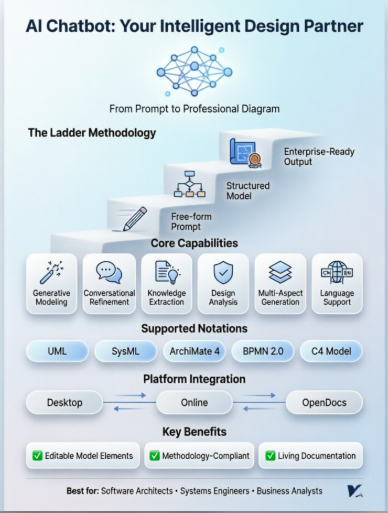
What sets this experience apart isn’t the flashiness of instant generation—it’s the thoughtful scaffolding Visual Paradigm calls the “Ladder” methodology. Users aren’t dumped into an empty canvas with a blinking cursor. Instead, the chatbot guides you from free-form brainstorming into structured, methodology-compliant models, all while maintaining the editable, interconnected model integrity that enterprise teams depend on. Below is my comprehensive, third-party perspective on what works, what doesn’t, and who should actually consider adopting this tool.
Core AI Features: What Users Actually Experience Day-to-Day
Generative Modeling That Doesn’t Sacrifice Precision
When I typed “Create a sequence diagram for a user login flow with OAuth2 and MFA fallback,” the chatbot didn’t just spit out a static PNG. Within seconds, I had a fully editable UML Sequence diagram with lifelines, activation bars, and combined fragments—all properly linked to model elements. Crucially, these elements remained editable in Visual Paradigm Desktop, meaning I could refine relationships, add constraints, or link to other diagrams without starting from scratch. The tool supports an impressively broad notation library: UML (Class, Sequence, Activity, State Machine, etc.), SysML, ArchiMate, BPMN 2.0, and the C4 Model. For teams juggling multiple frameworks, this breadth eliminates tool-switching fatigue.
Conversational Refinement That Feels Natural
The iterative chat interface is where the tool shines in daily use. Instead of manually dragging elements or wrestling with property panels, I could simply type:
-
“Add a retry mechanism with exponential backoff to the payment service call”
-
“Rename all ‘Customer’ actors to ‘End User’ across this diagram set”
-
“Apply a high-contrast theme suitable for projector presentations”
The AI parsed these requests contextually and updated the underlying model—not just the visual representation. This saved hours of tedious manual editing during a recent architecture review cycle.
Knowledge Extraction & Documentation That Bridges Teams
Two features stood out for cross-functional collaboration:
-
Explain Feature: When I shared a complex ArchiMate motivation diagram with non-technical stakeholders, I used the “Explain” command to generate a plain-English summary. The output highlighted key business drivers, assessment outcomes, and implementation goals—making the model accessible without oversimplifying.
-
Auto-Documentation: For a Use Case diagram I generated, the chatbot automatically produced structured descriptions including pre-conditions, post-conditions, and main/alternative event flows. This cut documentation time by ~70% and ensured visuals and text stayed synchronized.
Design Analysis That Acts Like a Senior Architect
During a deployment diagram review, I asked the chatbot to “Identify potential single points of failure.” It flagged the database cluster configuration, suggested adding a read replica, and even proposed a revised diagram snippet. While not a replacement for human threat modeling, this feature serves as a valuable first-pass safety net—especially for junior engineers or teams under tight deadlines.
Multi-Aspect Generation for Holistic Planning
One of the most time-saving capabilities: asking for complementary artifacts in a single prompt. When I requested “Generate a Use Case diagram for order fulfillment plus its corresponding Activity diagram and a sprint backlog,” the chatbot produced three interconnected models. This holistic approach ensures consistency across planning artifacts and reduces the risk of drift between diagrams.
Language Support for Global Teams
As someone who collaborates with teams across APAC, I tested the translation feature extensively. Switching diagram labels and documentation between English, Simplified Chinese, and Traditional Chinese was seamless. The AI preserved technical terminology accurately while adapting phrasing for regional clarity—a small but critical detail for multinational projects.
How It Works: A User’s Step-by-Step Journey
Step 1: Describe Your Idea in Plain Language
I started a session by typing: “Create a use case diagram for an online shopping system with guest checkout, loyalty program, and inventory management.” No template selection, no drag-and-drop setup. The AI parsed intent, identified key actors (Customer, Admin, Payment Gateway), and mapped primary use cases. For users accustomed to wrestling with modeling tool interfaces, this frictionless entry point is transformative.
Step 2: Generate Your Diagram Instantly
Within ~8 seconds, a presentation-ready Use Case diagram appeared. Actors were properly stereotyped, use cases grouped by subject boundaries, and relationships (include/extend) logically inferred. The visual styling was clean and professional out-of-the-box—no need to tweak fonts or colors before sharing with stakeholders.
Step 3: Refine with Simple Commands
Need to iterate? I typed: “Add a ‘Track Order’ use case and connect it to the Customer actor with an include relationship to ‘View Order Status’.” The diagram updated instantly. Later, I asked to “Highlight all external systems in blue for the architecture review deck,” and the styling adjusted globally. This conversational refinement loop feels less like using a tool and more like collaborating with a knowledgeable colleague.
Step 4: Explore, Document, and Share
Before a sprint planning meeting, I prompted: “What are the highest-priority use cases for MVP?” The chatbot analyzed the model and returned a ranked list with justification. I then exported the diagram to PDF and, with a Professional Edition license, imported the editable model directly into Visual Paradigm Desktop for deeper refinement. The synchronization between web and desktop meant zero file-juggling.
The Power Behind the Prompts: What Makes This Different
Instant AI Diagram Generation That Respects Standards
Unlike generic AI image generators that produce uneditable pictures, Visual Paradigm’s chatbot creates standards-compliant, editable model elements. A generated UML Class diagram isn’t just a pretty box-and-line drawing—it’s a living model where classes can be linked to Sequence diagrams, requirements traced to test cases, and documentation auto-generated. For teams invested in model-driven engineering, this fidelity is non-negotiable.
Conversational Editing That Scales With Complexity
Early in my testing, I worried the chat interface might become cumbersome for large models. Instead, I found the AI maintained context remarkably well. When working on a 50+ element ArchiMate landscape, I could reference elements by name (“Update the ‘Cloud Migration’ capability to show Q3 timeline”) without re-describing the entire diagram. This contextual awareness reduces cognitive load during complex modeling sessions.
Intelligent Analysis Grounded in Methodology
The design validation features don’t just offer generic advice. When I asked about scalability in a C4 Container diagram, the chatbot referenced microservices best practices, suggested async communication patterns for high-load paths, and even linked to relevant TOGAF ADM phases. This methodology-aware guidance helps teams align AI suggestions with their existing governance frameworks.
Documentation That Stays Alive
One of the biggest pain points in enterprise modeling is “documentation rot”—where diagrams and text drift out of sync. By integrating with Visual Paradigm’s OpenDocs platform, the chatbot ensures that when a model element changes, associated documentation updates automatically. During a recent compliance audit, this feature saved our team days of manual reconciliation.
Seamless Integration: Desktop, Online, OpenDocs—One Workflow
A Cloud Feature That Feels Native to Desktop
As a long-time Visual Paradigm Desktop user, I appreciated that the AI Chatbot didn’t feel like a bolted-on afterthought. Accessible directly within the desktop application (with a VP Online subscription), the chat interface shared the same theme, keyboard shortcuts, and project navigation I already knew. Generated diagrams could be imported directly into my local project with one click—no export/import dance required.
Shared Workspace, Zero Friction
Whether I started a diagram on my laptop during a commute or refined it on the web version at my desk, everything synchronized to my Visual Paradigm account. This eliminated the version-control headaches that plague team modeling projects. For distributed teams, this seamless sync is a productivity multiplier.
License Clarity (A Refreshing Change)
The documentation clearly outlines what each license tier enables:
-
Professional Edition: Import most AI-generated diagrams into Desktop projects
-
Enterprise Edition: Required for ArchiMate diagram imports and advanced governance features
No hidden paywalls or surprise limitations mid-workflow—a transparency that builds trust.
A Universe of Diagrams: Real Examples From My Testing
Below are the diagram types I explored during my evaluation. Each thumbnail links to a dedicated showcase page demonstrating the AI’s generation capabilities.
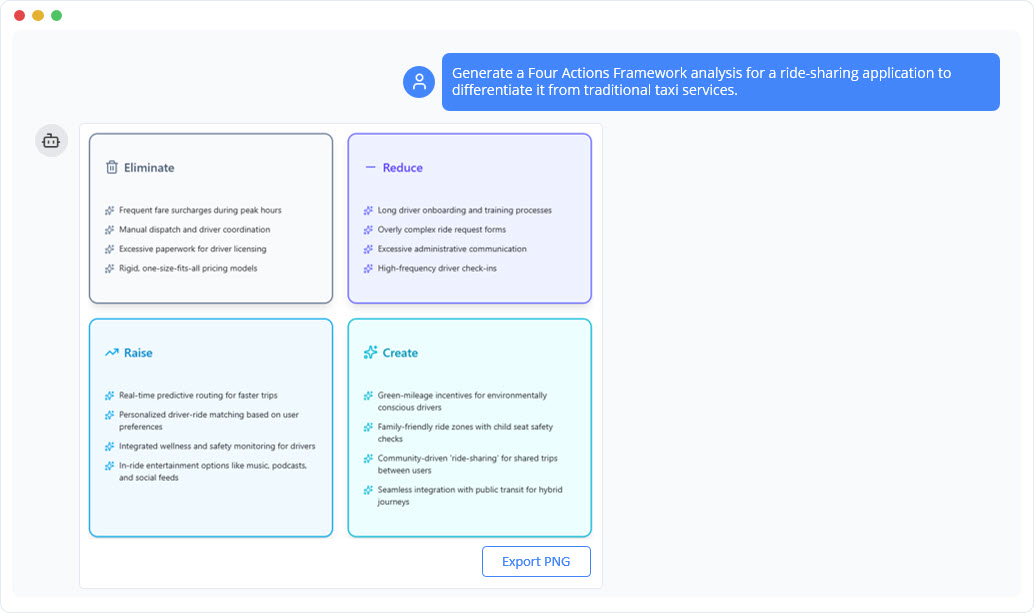
Blue Ocean Four Actions Framework Diagram Generator
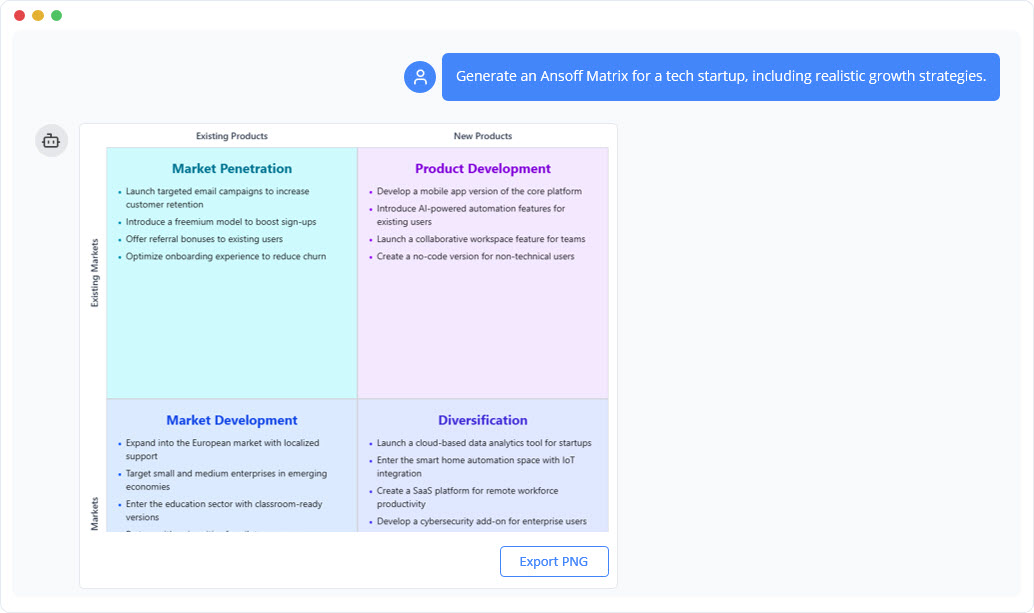
Ansoff Matrix Diagram Generator
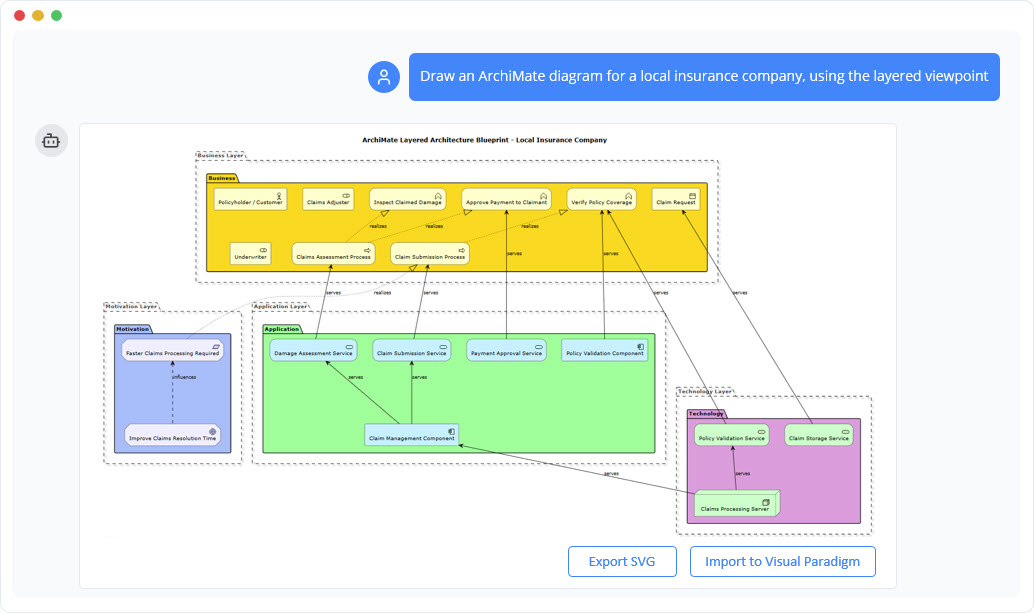
ArchiMate Diagram Generator
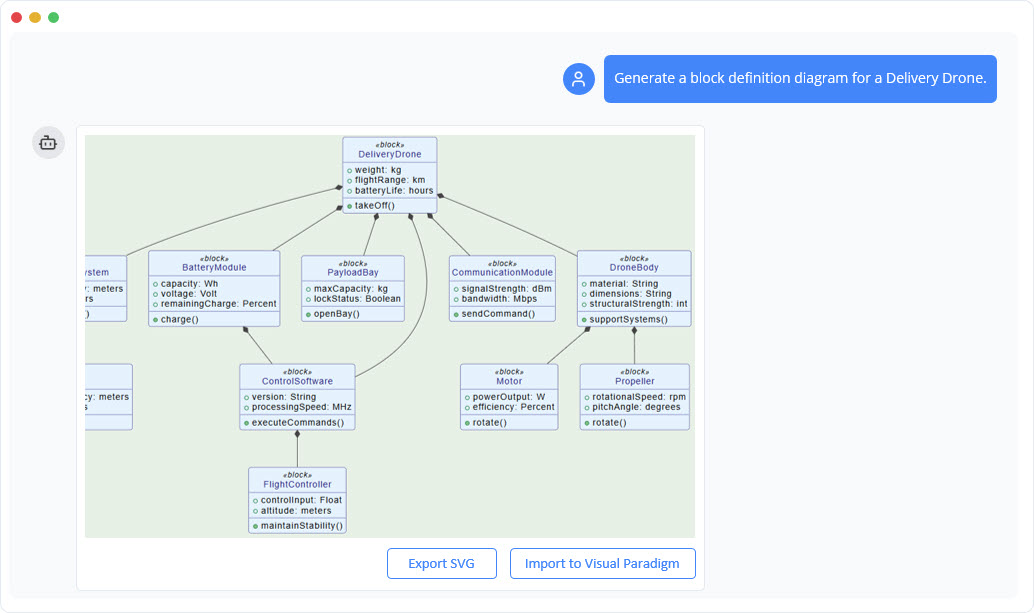
SysML Block Definition Diagram Generator
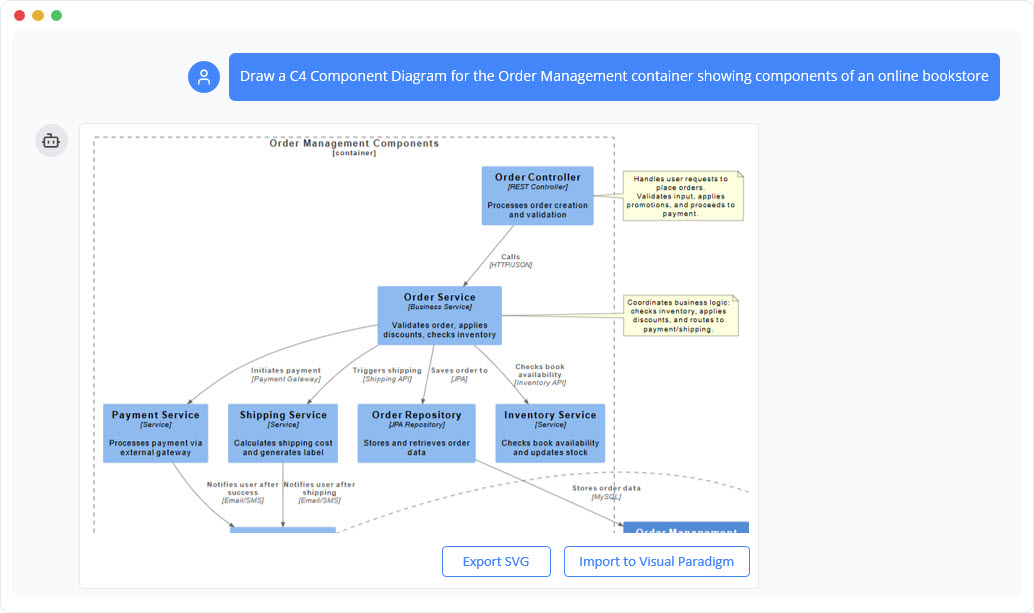
C4 Component Diagram Generator
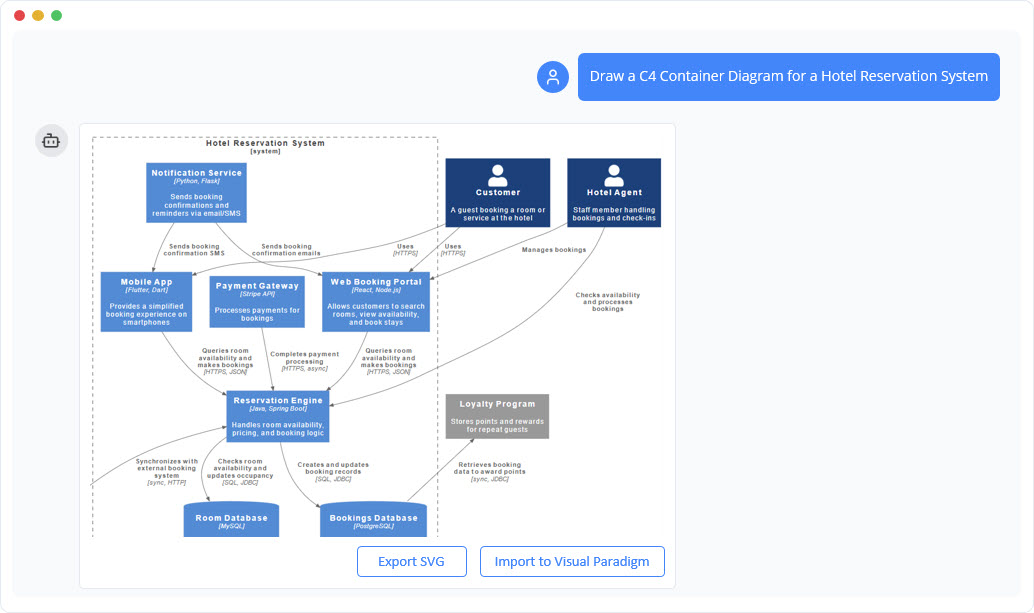
C4 Container Diagram Generator
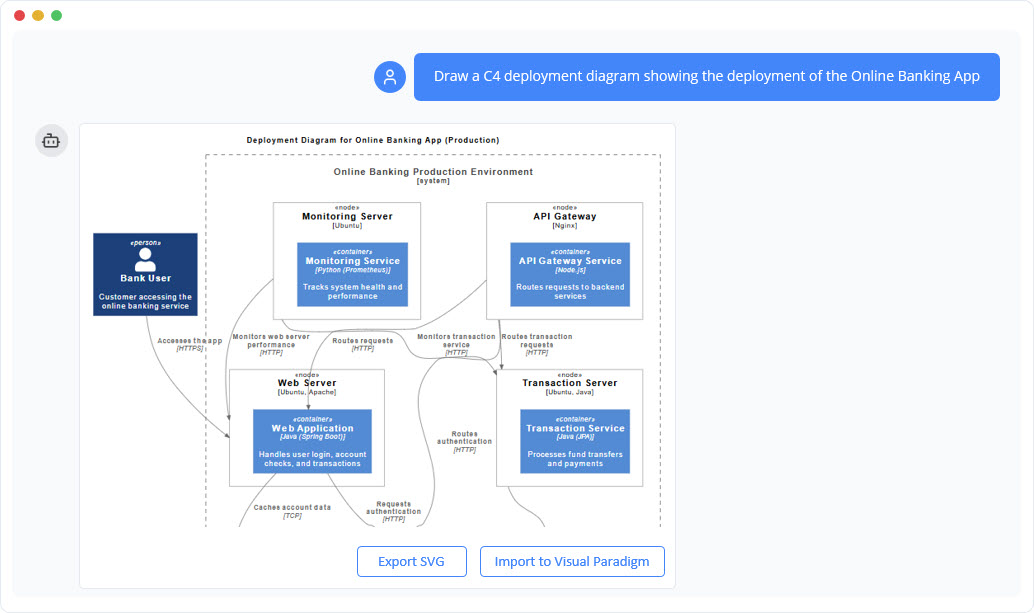
C4 Deployment Diagram Generator
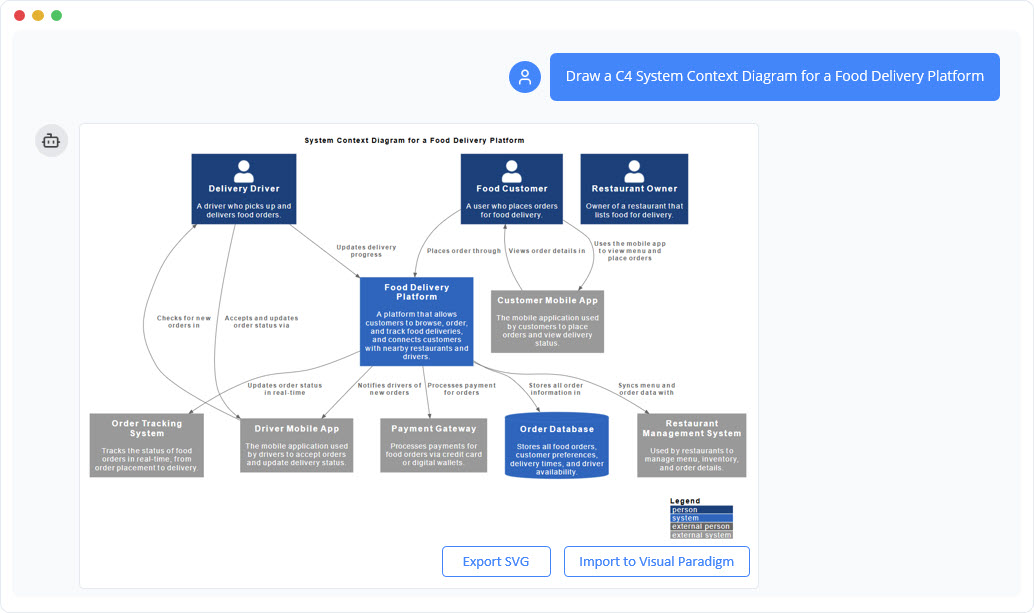
C4 System Context Diagram Generator
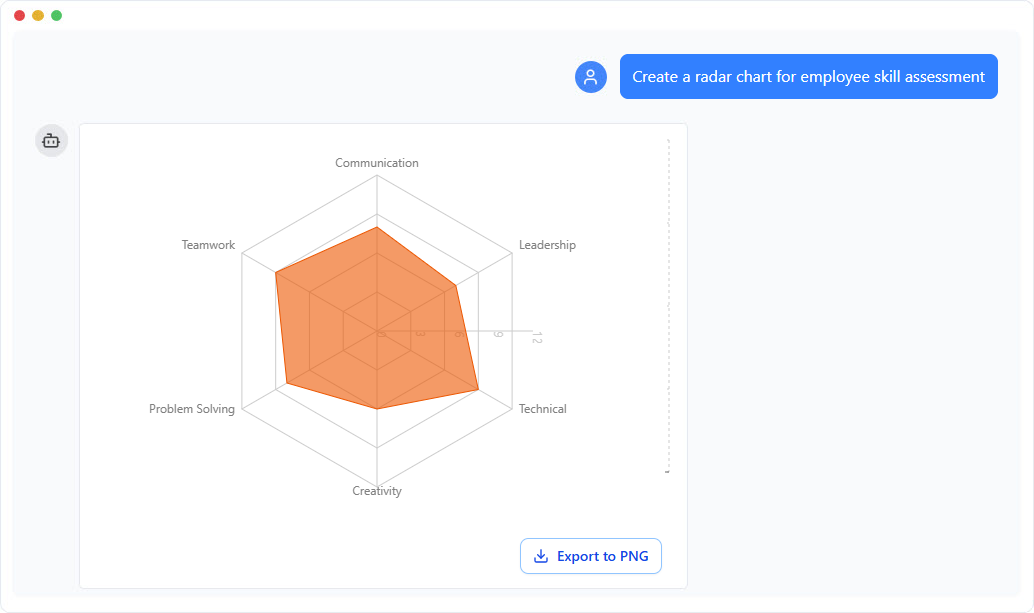
Pie Chart Generator
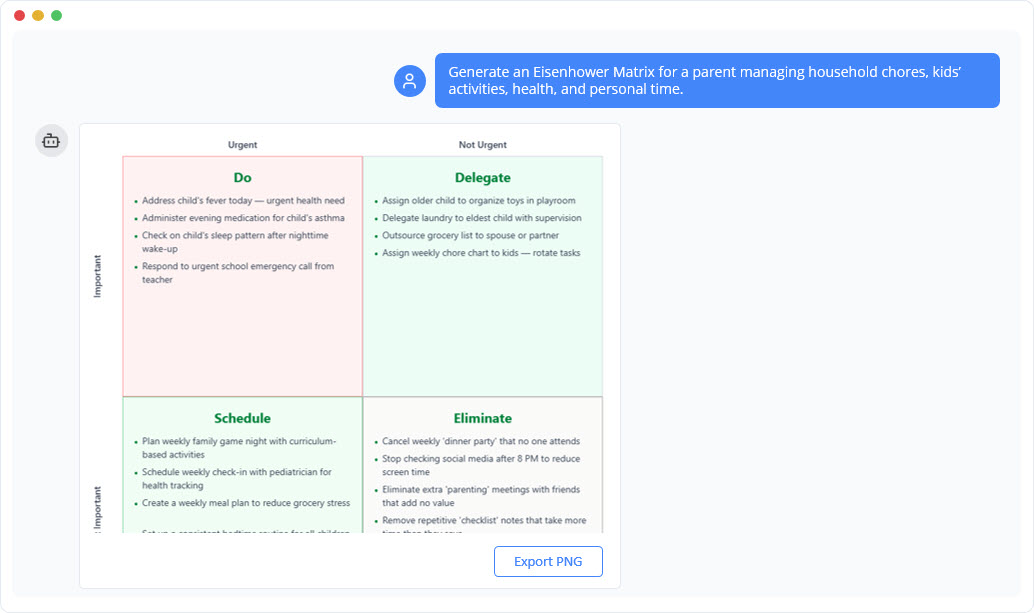
Eisenhower Matrix Diagram Generator
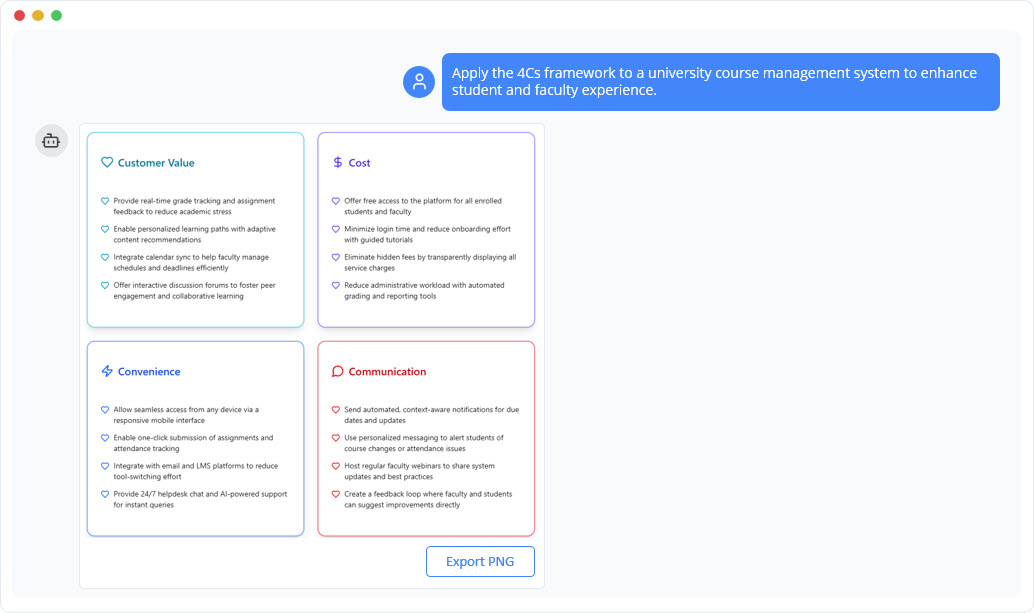
Marketing Mix 4Cs Model Diagram Generator
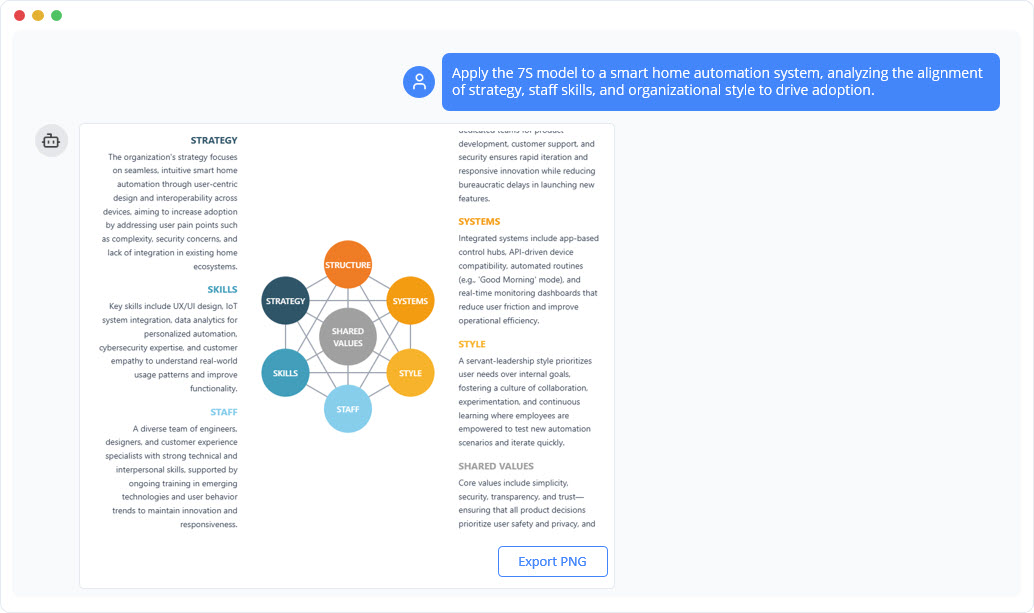
McKinsey 7S Model Diagram Generator
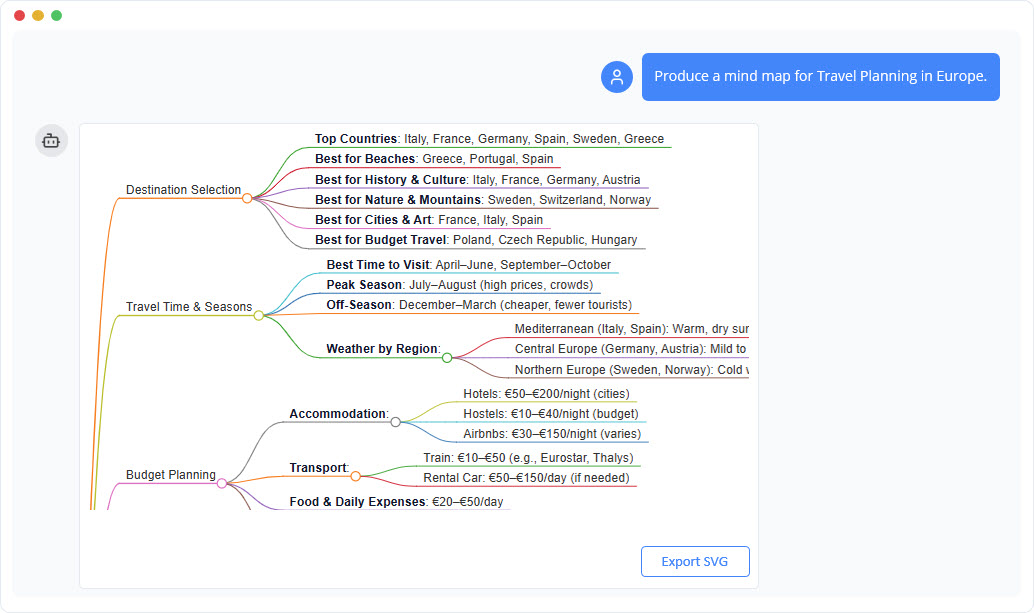
Mind Map Diagram Generator
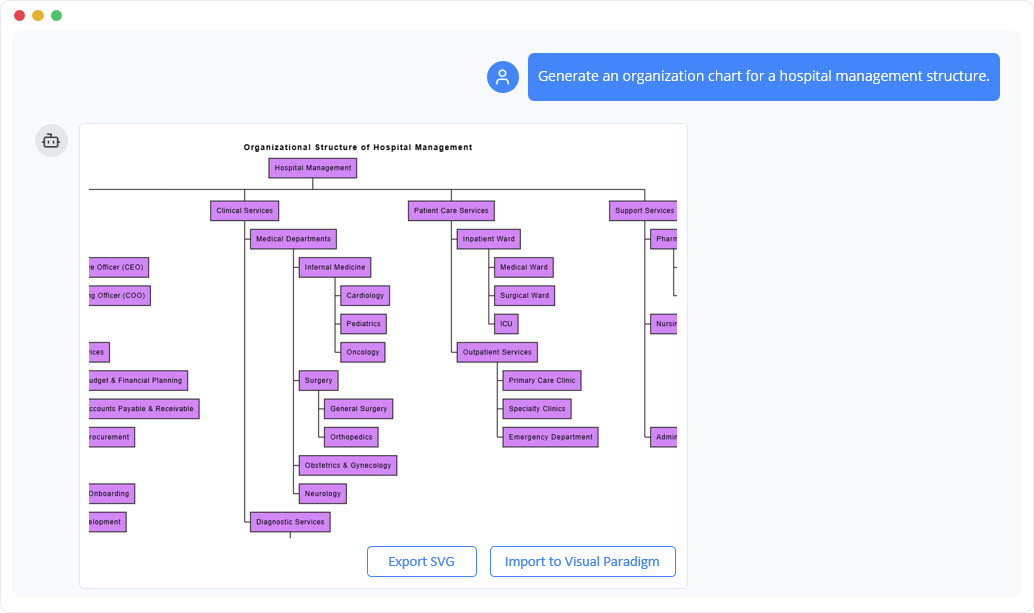
Organization Chart Generator
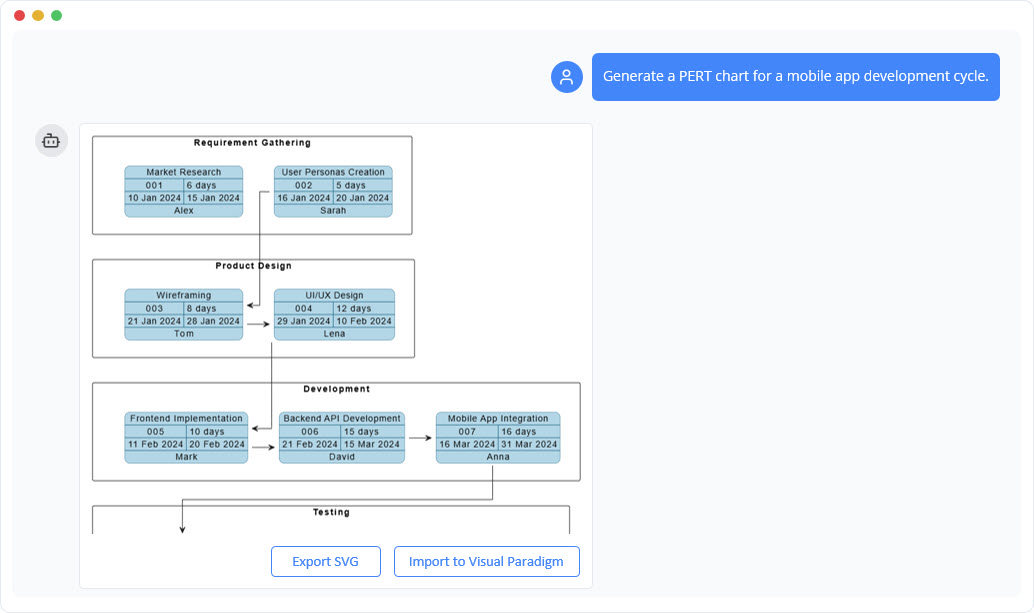
PERT Chart Generator
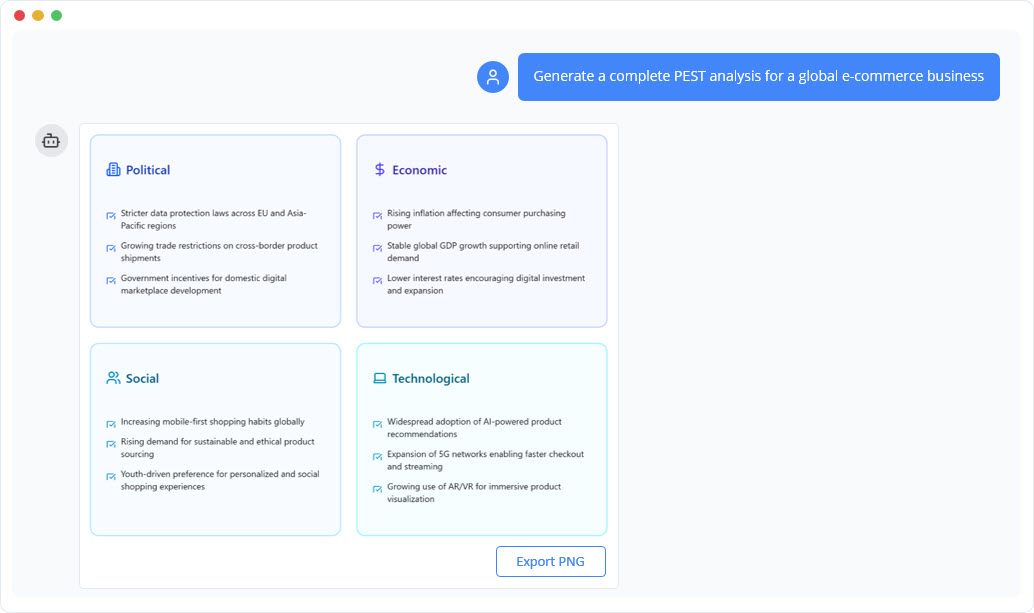
PEST Analysis Diagram Generator
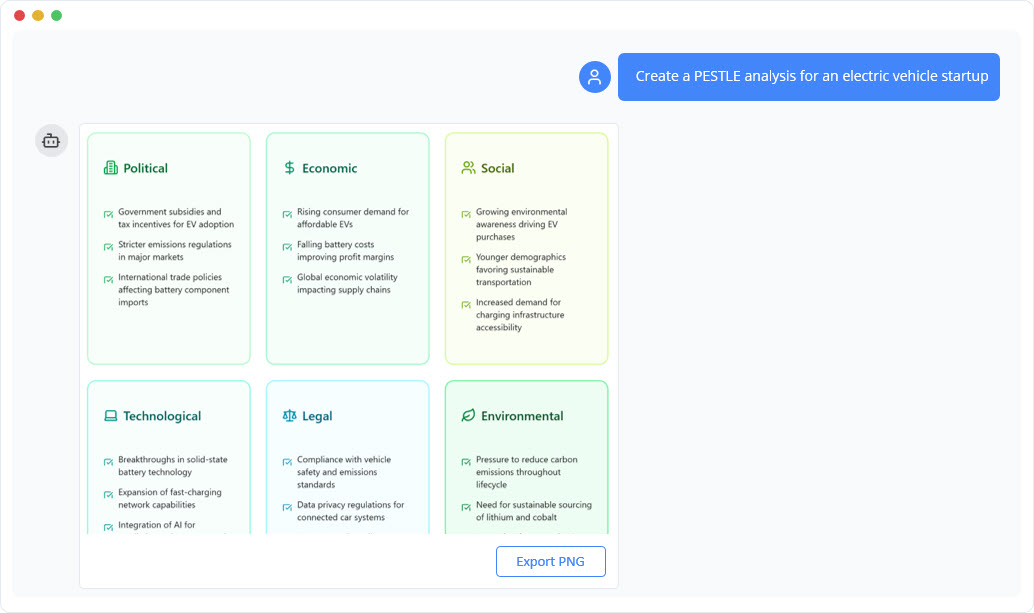
PESTLE Analysis Diagram Generator
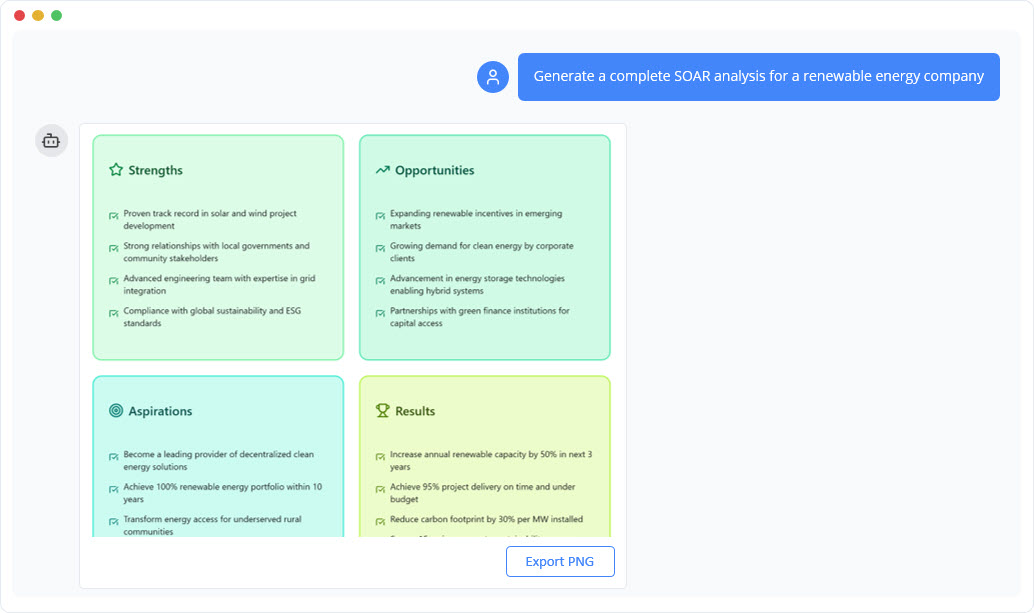
SOAR Analysis Diagram Generator
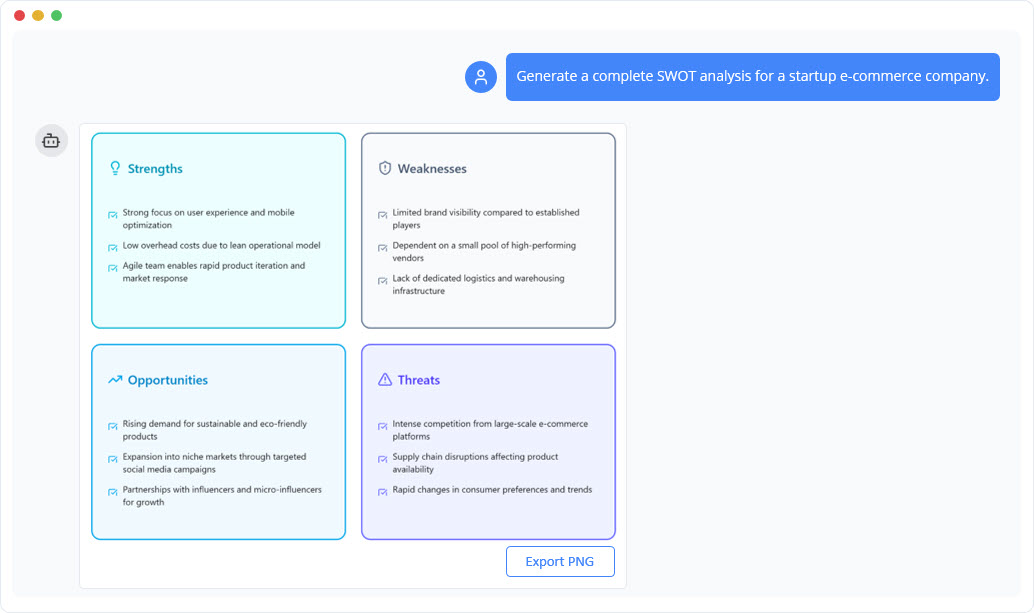
SWOT Analysis Diagram Generator
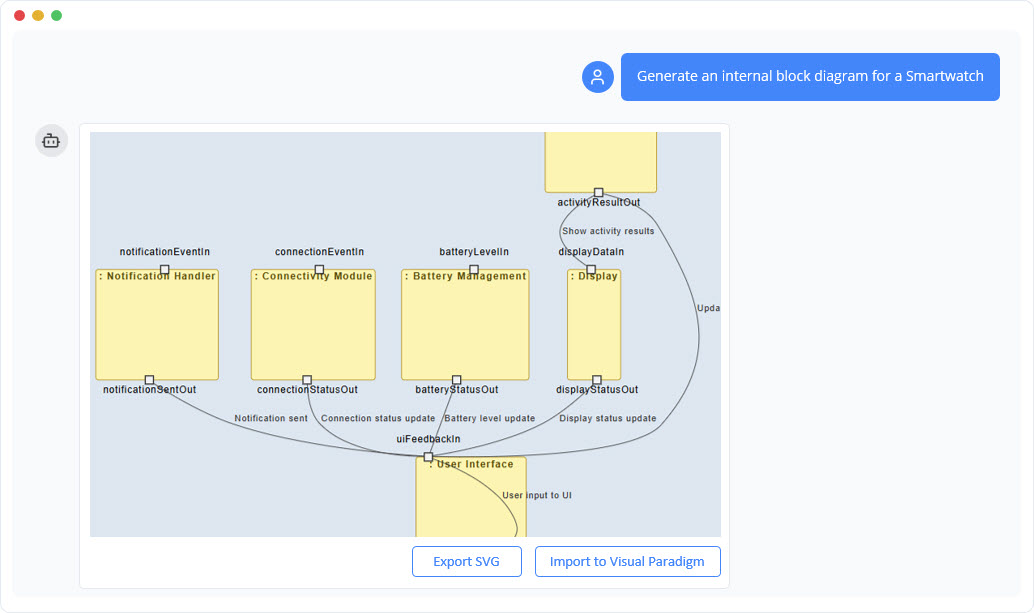
SysML Internal Block Diagram Generator
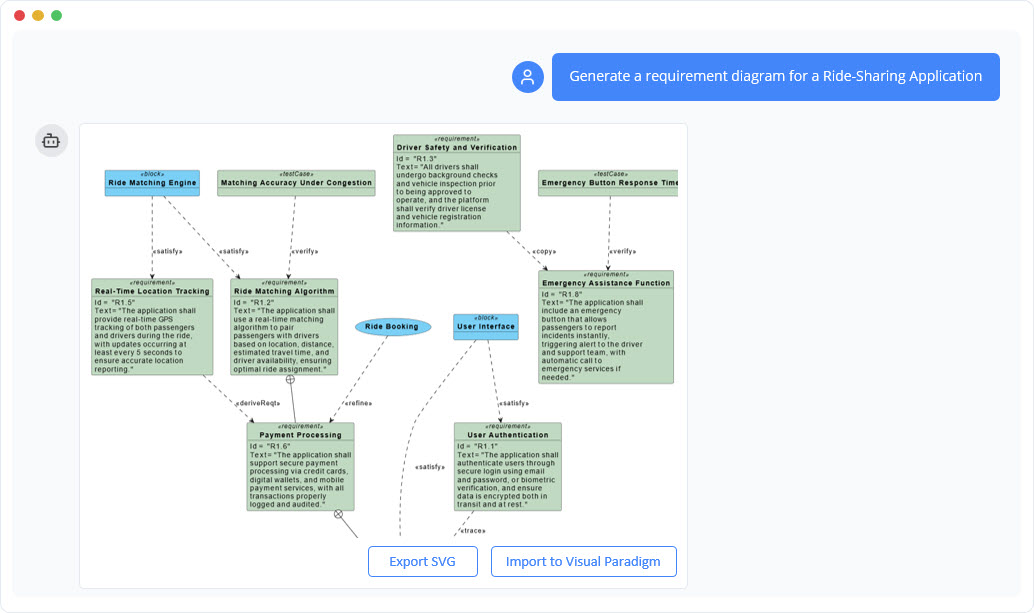
SysML Requirement Diagram Generator
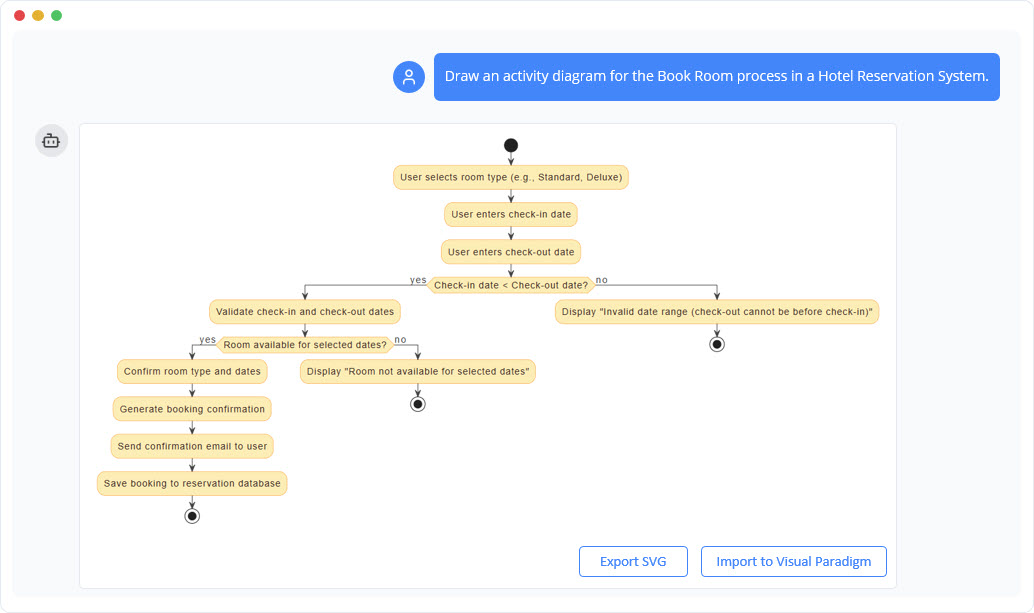
UML Activity Diagram Generator
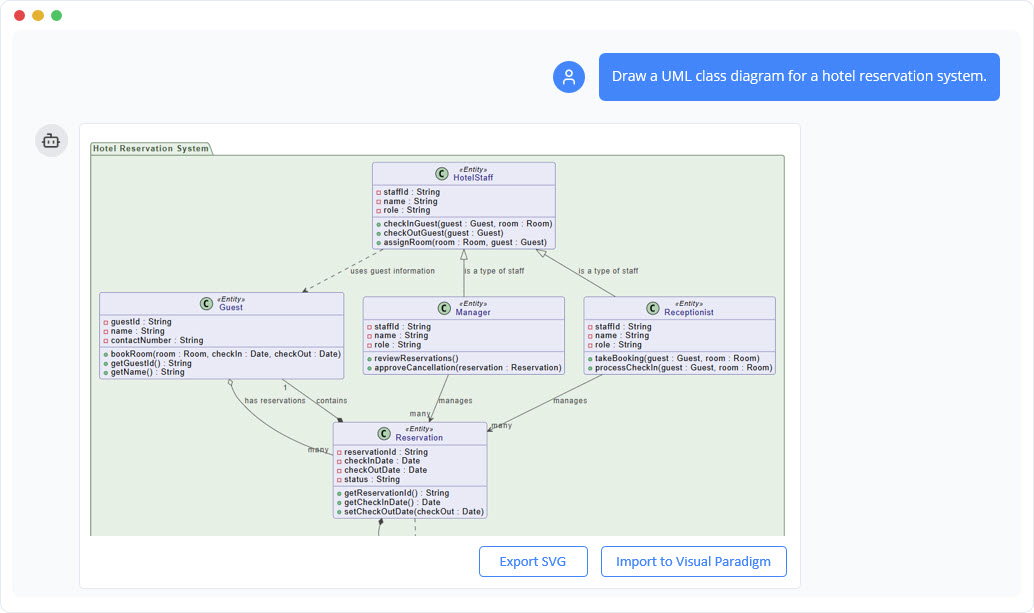
UML Class Diagram Generator
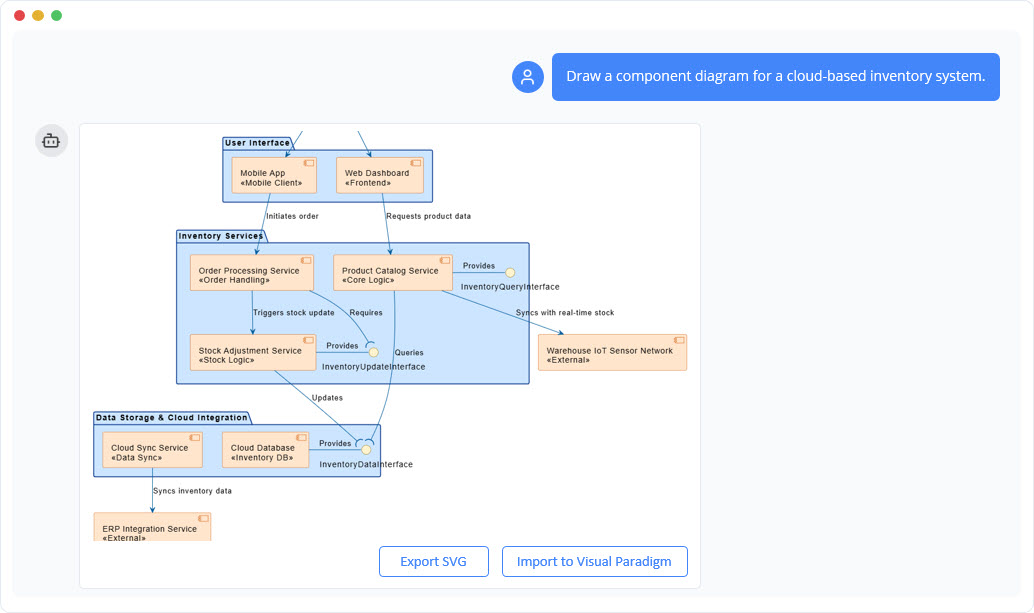
UML Component Diagram Generator
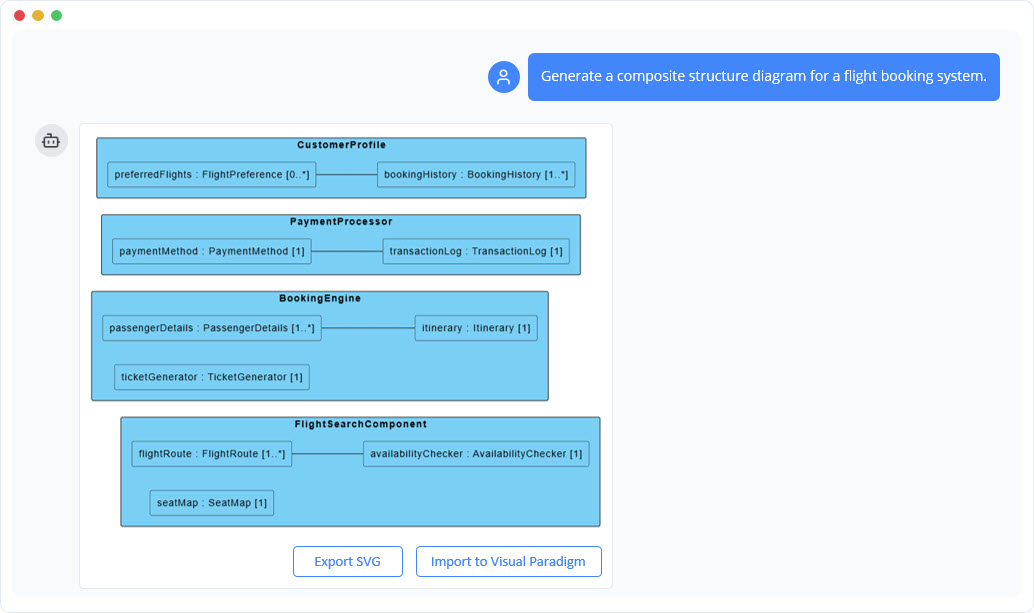
Composite Structure Diagram Generator
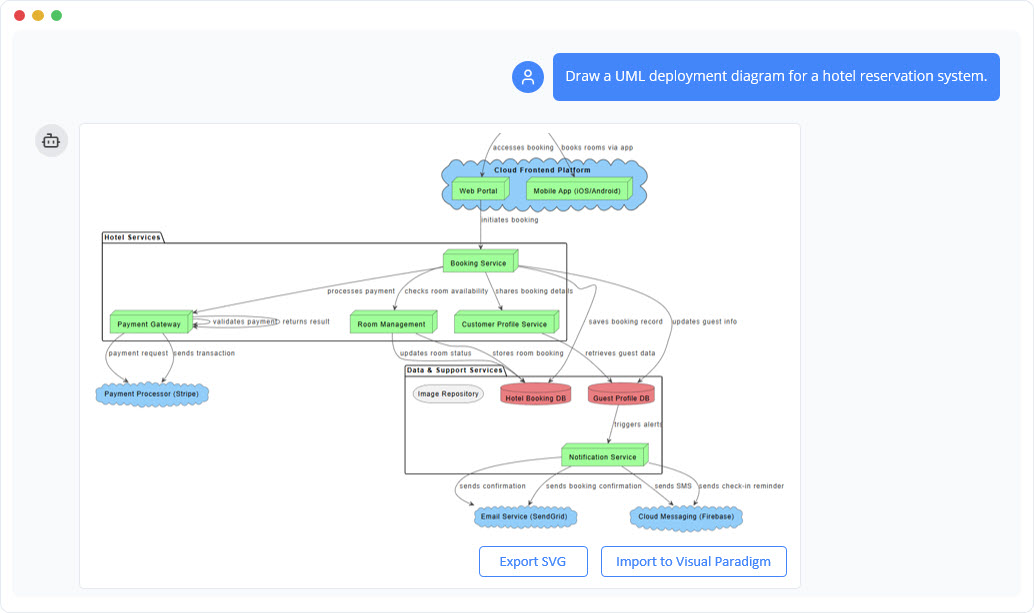
UML Deployment Diagram Generator
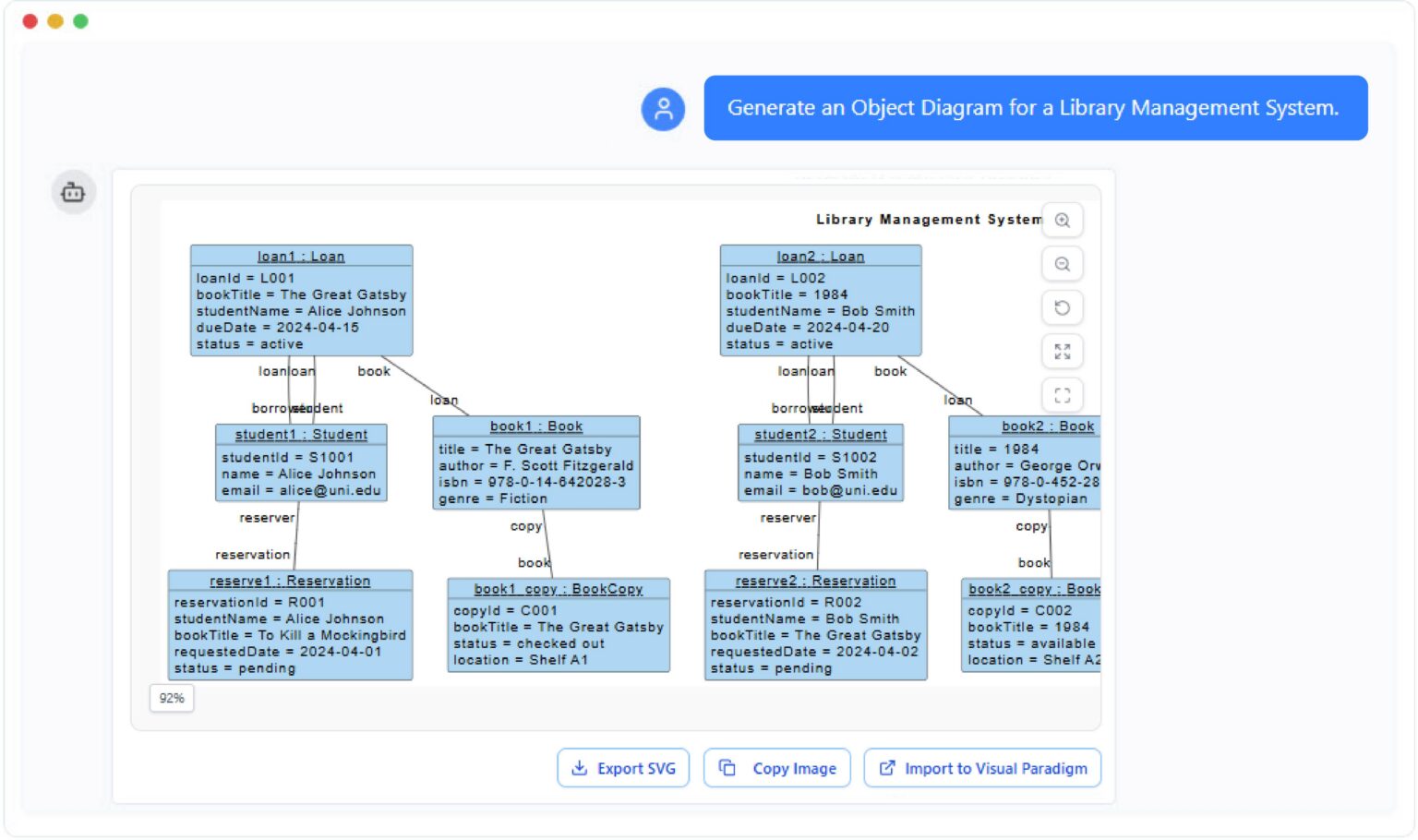
Object Diagram Generator
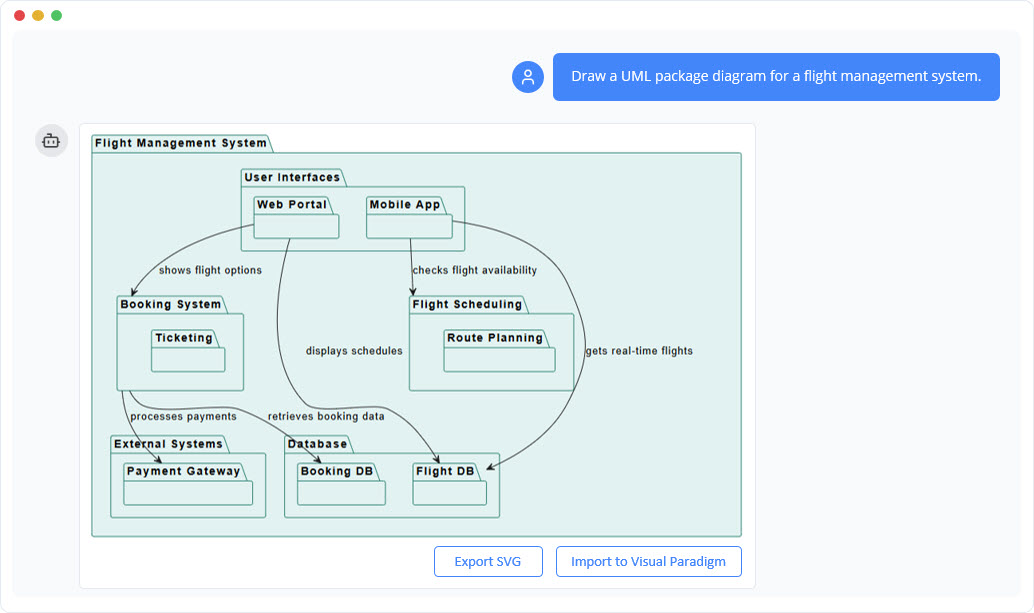
UML Package Diagram Generator
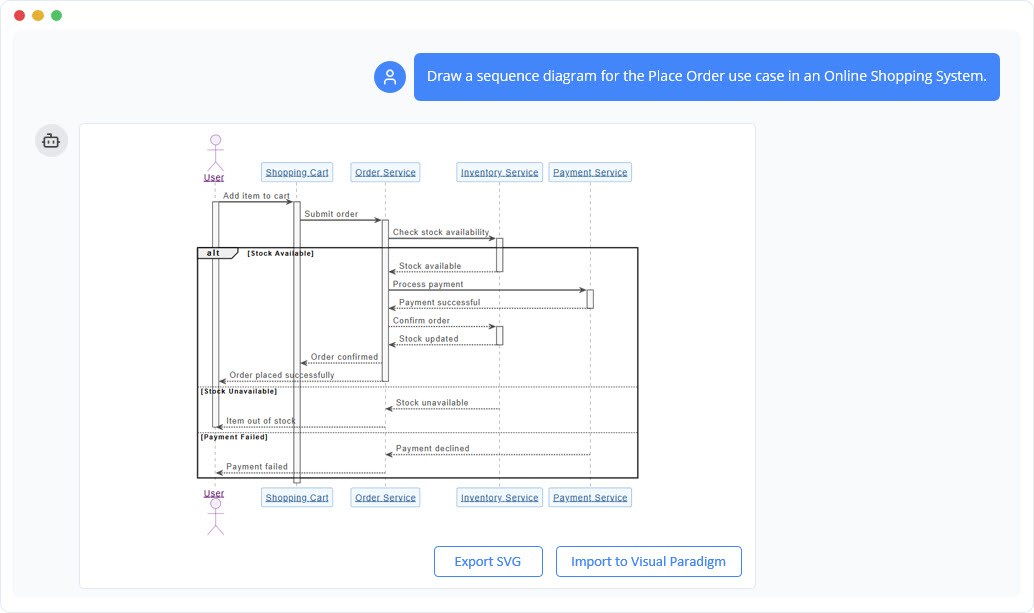
UML Sequence Diagram Generator
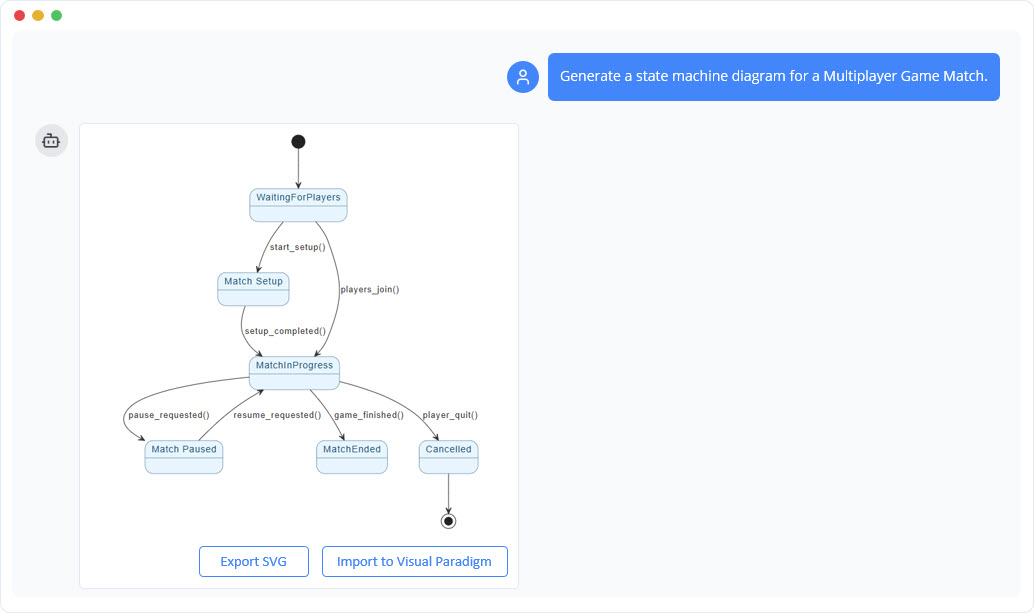
UML State Machine Diagram Generator
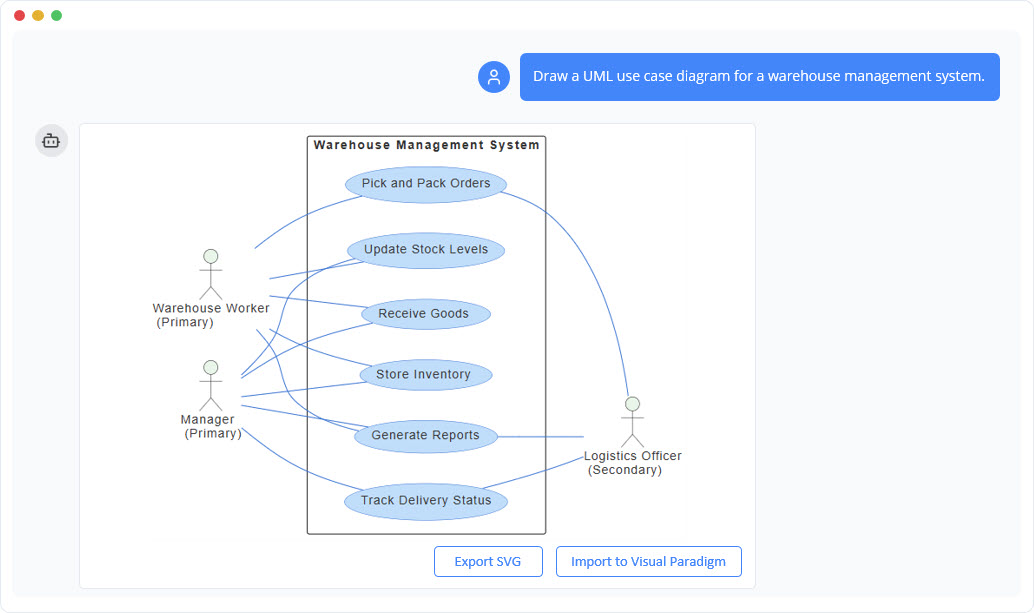
UML Use Case Diagram Generator
2026 Expert Review & Verdict: The Unvarnished Take
| Pros | Cons |
|---|---|
| Model Integrity: Unlike generic AI tools that generate static images, VP AI creates editable model elements that link across different diagrams. | Learning Curve: While the chatbot is intuitive, the transition from AI draft to advanced desktop refinement can be overwhelming for beginners. |
| Methodology Support: Strong alignment with formal frameworks like TOGAF ADM and Agile workflows. | Performance: Users report occasional slowdowns when processing exceptionally large or high-complexity architectural models. |
| Living Documentation: Integration with OpenDocs prevents “documentation rot” by keeping visuals and text in sync. | Mobile Experience: The interface is still primarily optimized for desktop/web use; mobile interaction remains limited. |
Final Verdict (From a Practitioner’s Perspective):
Visual Paradigm AI isn’t trying to be the flashiest AI tool on the market—and that’s its strength. For professionals who need precision, standards-compliance, and long-term model maintainability, this is currently the most mature platform available. Software architects, systems engineers, and business analysts will appreciate how the chatbot accelerates initial modeling while preserving the rigor required for enterprise work.
Casual users or those seeking quick, one-off visuals might find the feature set overwhelming. But for teams invested in model-driven development, the ability to move seamlessly from an AI-assisted conversation into a full enterprise-grade modeling environment is a genuine productivity breakthrough. If your workflow demands interconnected, editable, methodology-compliant models—not just pretty pictures—this tool deserves serious consideration.
Conclusion: Who Should Actually Use This Tool?
After extensive hands-on testing, my recommendation breaks down like this:
✅ Adopt if you:
-
Work in enterprise software architecture, systems engineering, or business analysis
-
Need diagrams that integrate with existing Visual Paradigm projects and governance frameworks
-
Value model integrity and traceability over quick-and-dirty visuals
-
Collaborate with distributed or multilingual teams
❌ Look elsewhere if you:
-
Only need simple, one-off diagrams for presentations or brainstorming
-
Prefer lightweight, free tools with minimal setup
-
Work primarily on mobile devices
-
Aren’t willing to invest time learning Visual Paradigm’s broader ecosystem
The 2026 update to Visual Paradigm’s AI Chatbot represents a meaningful evolution in how professionals interact with modeling tools. By balancing conversational accessibility with enterprise-grade rigor, it addresses a real pain point: the gap between rapid ideation and production-ready documentation. While not without limitations, its strengths align precisely with the needs of serious modeling practitioners. In a market crowded with AI hype, that focus on practical utility is refreshingly substantive.
References
- Visual Paradigm AI Chatbot Features: Official feature overview of Visual Paradigm’s AI-powered diagram generation chatbot, covering supported notations, conversational editing, and enterprise integration capabilities.
- 🚀 Unlock Your Team’s Potential: The Complete Guide to Visual Paradigm AI Chatbot: Third-party comprehensive guide exploring practical use cases, workflow integration tips, and productivity benefits of adopting Visual Paradigm’s AI Chatbot for enterprise modeling teams.
- Visual Paradigm AI Chatbot: Turn Your Ideas into Diagrams Instantly: Official blog post demonstrating how the AI Chatbot transforms plain English prompts into professional UML, SysML, C4, and business strategy diagrams in seconds.
- What Makes Visual Paradigm’s AI Chatbot Different from Other AI Diagram Tools?: Comparative analysis highlighting VP AI’s model integrity, methodology compliance, and editable element generation versus static image outputs from generic AI tools.
- Visual Paradigm AI Chatbot Application: Direct access portal to the cloud-based AI Chatbot interface for instant diagram generation, conversational refinement, and cross-platform synchronization.
- AI Chatbot Features Overview: Centralized feature catalog for the AI Chatbot platform, covering generative modeling, conversational editing, documentation automation, and multi-notation support.
- Context-Aware Diagram Generation: VP AI’s Differentiator: Deep dive into how Visual Paradigm’s AI maintains contextual awareness across complex modeling sessions, enabling intelligent refinement and methodology-aligned suggestions.
- No Technical Notation Expertise Required: User-focused guide emphasizing how the AI Chatbot abstracts away notation complexity, allowing domain experts to focus on content rather than diagramming syntax.
- Meet the New AI Chatbot: 2026 Update: Release notes and feature highlights for the 2026 AI Chatbot evolution, including the “Ladder” methodology, enhanced multi-aspect generation, and OpenDocs integration.
- Visual Paradigm AI Chatbot Demo Video: Official video walkthrough demonstrating end-to-end workflow: from text prompt to editable diagram, conversational refinement, and desktop import.