
Mastering AI-Assisted Architecture Refactoring with VPasCode
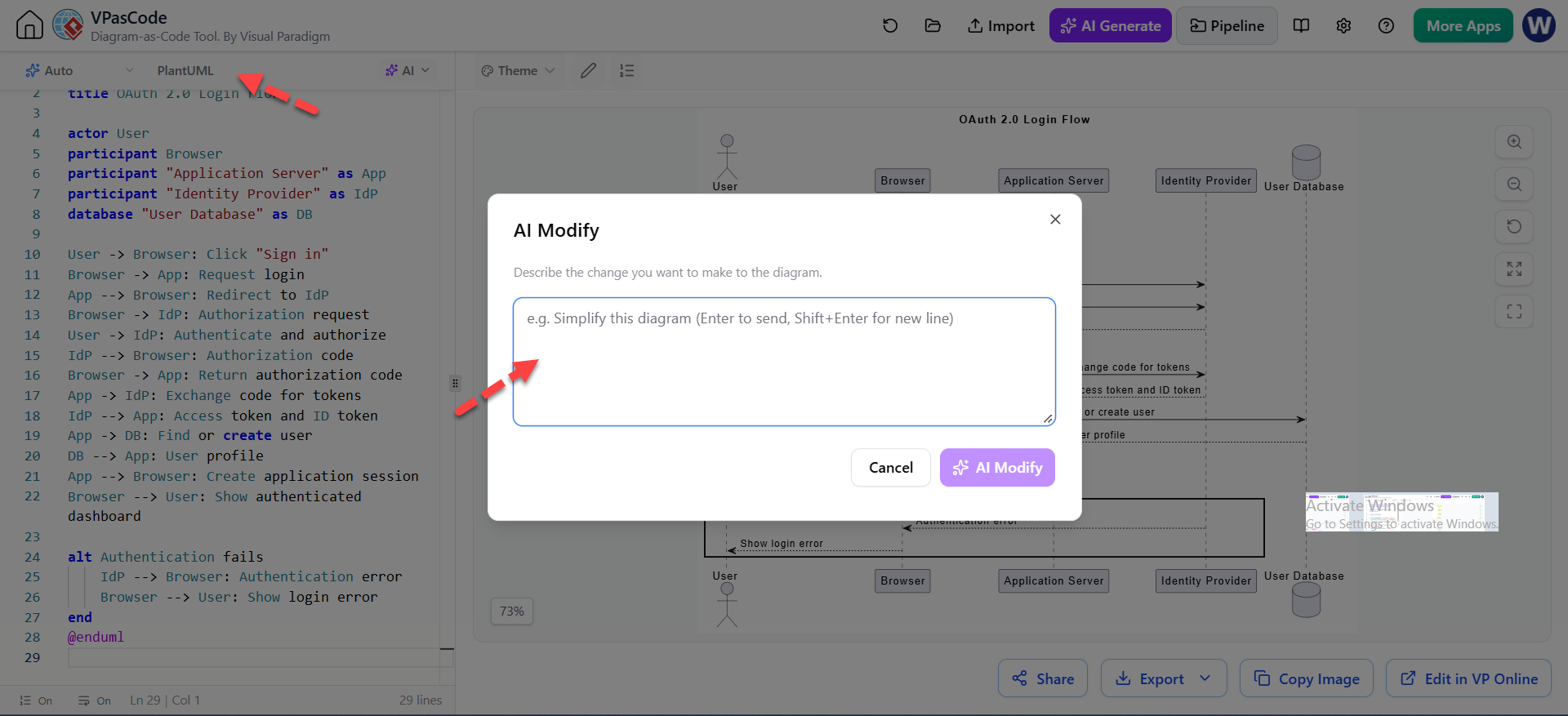
In the world of software engineering, architecture is not static; it evolves. As requirements shift and systems scale, your diagrams must adapt. However, manually rewriting complex sequence diagrams or component maps in a text-based tool can be tedious and prone to syntax errors. This is where VPasCode and Visual Paradigm’s AI ecosystem revolutionize the workflow.
VPasCode is a “Diagram-as-Code” tool that allows developers to describe system interactions using plain text. The integration of Artificial Intelligence into this workflow transforms the editor from a simple syntax validator into an intelligent architect’s assistant. Instead of generating a diagram from scratch, AI is most effective when used for controlled modifications to an existing, validated script.
The Concept of Controlled AI Modification
Traditional AI diagram generation can sometimes be unpredictable, producing diagrams that look good but lack structural precision. The “AI Modify” feature in VPasCode addresses this by allowing you to apply specific, targeted instructions to a known-good state.
Think of this as a “refactoring” process. You start with a clean, working script—perhaps an OAuth 2.0 login flow—and use natural language to instruct the AI on how to evolve it. This approach ensures that the underlying logic remains intact while the visual representation or structure is updated.
Targeted Modification Examples
To get the best results from VPasCode, your instructions should be precise. Here are common architectural scenarios where AI modification shines:
- Adding Infrastructure Layers: You might have a basic service flow, but now you need to introduce caching. You can ask the AI to “Add a Redis cache between the API gateway and Product Service. Show a cache hit and cache miss path.”
- Refactoring for Abstraction: As systems grow, you often need to hide complexity. You can instruct the AI to “Group all database components into a Data Layer package” or “Remove implementation details and leave only the major business services.”
- Handling Edge Cases: Systems rarely work 100% of the time. You can easily add alternative flows by asking the AI to “Add an alternative path for payment failure and order cancellation.”
- Renaming and Standardization: If your team rebrands a service, you can command the AI to “Rename ‘Auth Service’ to ‘Identity Service’ everywhere without changing other relationships.”
- Translating Diagram Types: Perhaps you have a Sequence Diagram showing message timing, but you need a Component Diagram for high-level documentation. You can request: “Convert this sequence diagram into a component diagram that shows responsibilities rather than message-by-message interactions.”
Implementing a Safe Modification Workflow
While AI is powerful, it is best practice to treat it as a collaborative partner rather than an autonomous agent. When modifying code or diagrams, you should adhere to a strict safety workflow to prevent “hallucinated” logic or broken syntax.
Step-by-Step Refactoring Guide
- Keep the Original Source Unchanged: Always ensure you have a backup or a committed version of your diagram code before making AI-driven changes. Never overwrite your working code directly.
- Ask for One Focused Modification: Avoid asking the AI to “fix everything” or “make it better” in a single prompt. Instead, provide a single, clear instruction (e.g., “Add a Redis cache…”).
- Inspect the Proposed Code Changes: Once the AI generates the new text, do not immediately accept it. Review the syntax. Look for missing brackets, incorrect participant definitions, or logic gaps.
- Render the Result: Generate the diagram to see the visual output. Does it look as expected? Are the arrows pointing to the right actors?
- Check Unrelated Relationships: This is critical. Ensure that the AI did not accidentally alter existing connections that were not part of your request. For example, did renaming the “Auth Service” accidentally break the link to the Database?
- Accept and Commit: Only after a visual and semantic review should you accept the changes. Commit the updated source with a meaningful message (e.g., “Added Redis caching layer to product flow”).
Conclusion
By combining the precision of text-based modeling with the efficiency of AI, VPasCode empowers architects to iterate on their designs rapidly. Whether you are adding a new cache layer, refactoring a complex authentication flow, or simply cleaning up your notation, AI-assisted modification is the key to maintaining high-quality architecture documentation.