
Mastering System Architecture: Why Visual Paradigm Modeler Edition is the Sweet Spot for Professional Diagramming
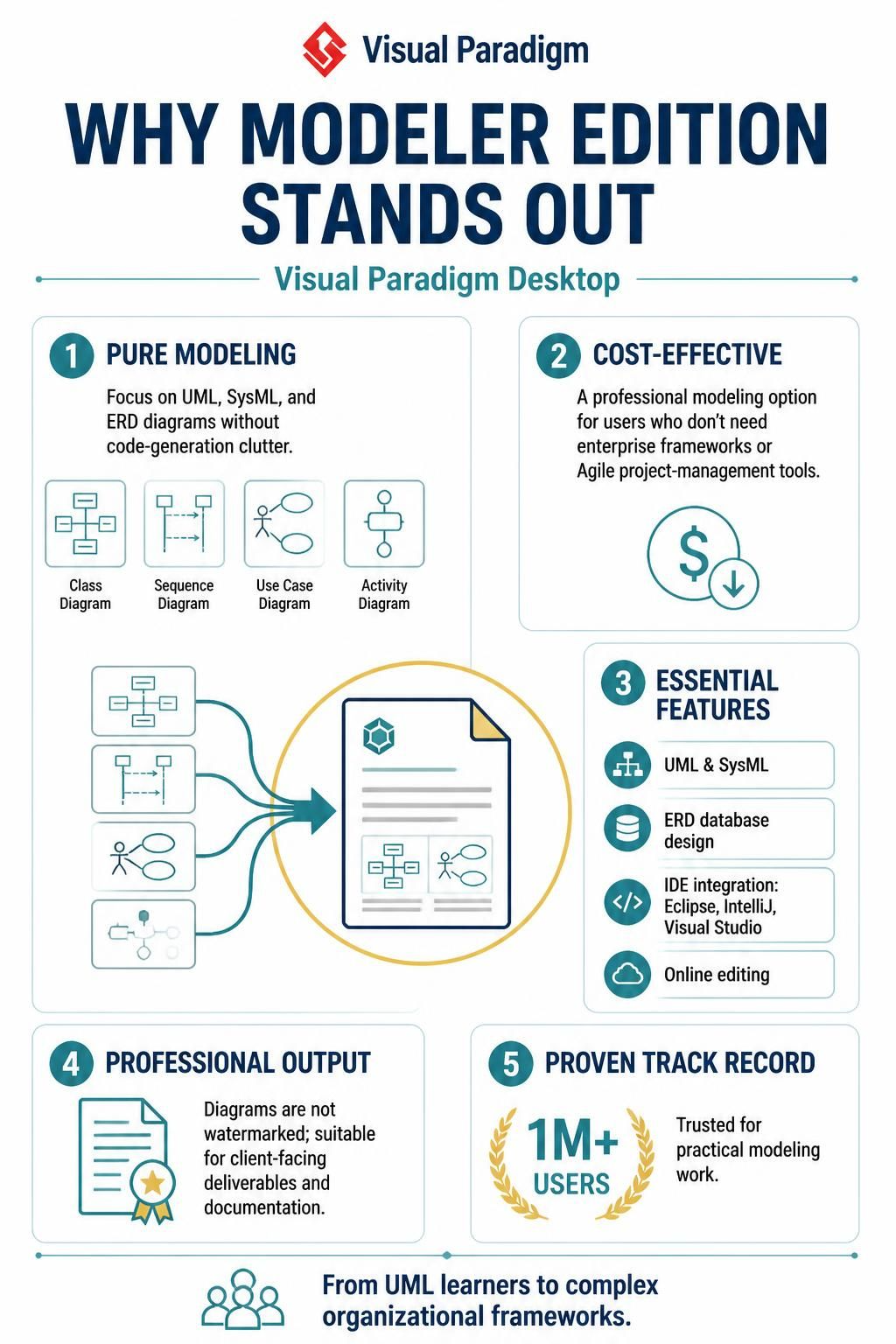
In the complex world of software engineering and systems design, finding the right tool can be the difference between a chaotic development cycle and a streamlined, professional workflow. The Visual Paradigm Modeler Edition has emerged as a critical solution for professionals who need robust modeling capabilities without the bloat of an entire enterprise suite.
This tutorial explores the technical architecture of the Modeler Edition, explaining why it occupies the unique “sweet spot” in the market. We will break down its core strengths, from its focus on pure modeling to its seamless integration with modern IDEs.
1. The Philosophy of “Pure Modeling”
One of the most significant challenges in the industry is the prevalence of “all-in-one” tools that attempt to do everything—draw diagrams, generate code, manage projects, and track Agile sprints. Often, this leads to cluttered interfaces that overwhelm the user.
The Modeler Edition adopts a different philosophy: Focus on the Model.
- UML & SysML First: The environment is optimized for Unified Modeling Language (UML) and Systems Modeling Language (SysML). It allows architects to visualize complex system behaviors, structures, and interactions without distraction.
- Database Design (ERD): It includes robust Entity-Relationship Diagram (ERD) capabilities, essential for backend architects designing data schemas.
- No Code-Generation Clutter: While it supports code generation, the Modeler Edition strips away the heavy frameworks often required for automated code writing, allowing users to focus on the logic and structure of the system.
2. Essential Technical Features
Why do over a million users trust this edition? The answer lies in the essential feature set that bridges the gap between academic modeling and professional deployment.
A. Comprehensive Diagram Support
The Modeler Edition supports the full spectrum of standard industry diagrams:
- Class Diagrams: For defining object-oriented structures.
- Sequence Diagrams: For visualizing object interactions over time.
- Use Case Diagrams: For capturing functional requirements from a user perspective.
- Activity Diagrams: For modeling business processes and workflows.
B. IDE Integration
In modern development environments, diagrams shouldn’t exist in a vacuum. The Modeler Edition offers deep integration with popular Integrated Development Environments (IDEs), including:
- Eclipse
- IntelliJ IDEA
- Visual Studio
This allows developers to keep their diagrams synchronized with their code repositories, ensuring documentation never becomes outdated.
C. Online Editing
Flexibility is key. The inclusion of online editing capabilities ensures that teams can collaborate on complex architectural blueprints regardless of their physical location or local hardware constraints.
3. Professional Output & Deliverables
For consultants and architects, the final deliverable is often a diagram presented to a client or stakeholder. The Modeler Edition is designed to produce Professional Output.
Crucially, diagrams generated in this edition are not watermarked. This is a vital feature for:
- Client-Facing Deliverables: Ensuring your documentation looks polished and professional.
- Documentation: Including high-quality diagrams in formal reports or system handbooks.
4. Conclusion
From UML learners to complex organizational frameworks, the Visual Paradigm Modeler Edition stands out by offering a focused, powerful, and cost-effective environment. By prioritizing UML, SysML, and ERD over unnecessary administrative tools, it empowers users to focus on what matters most: designing great systems.