
Introduction
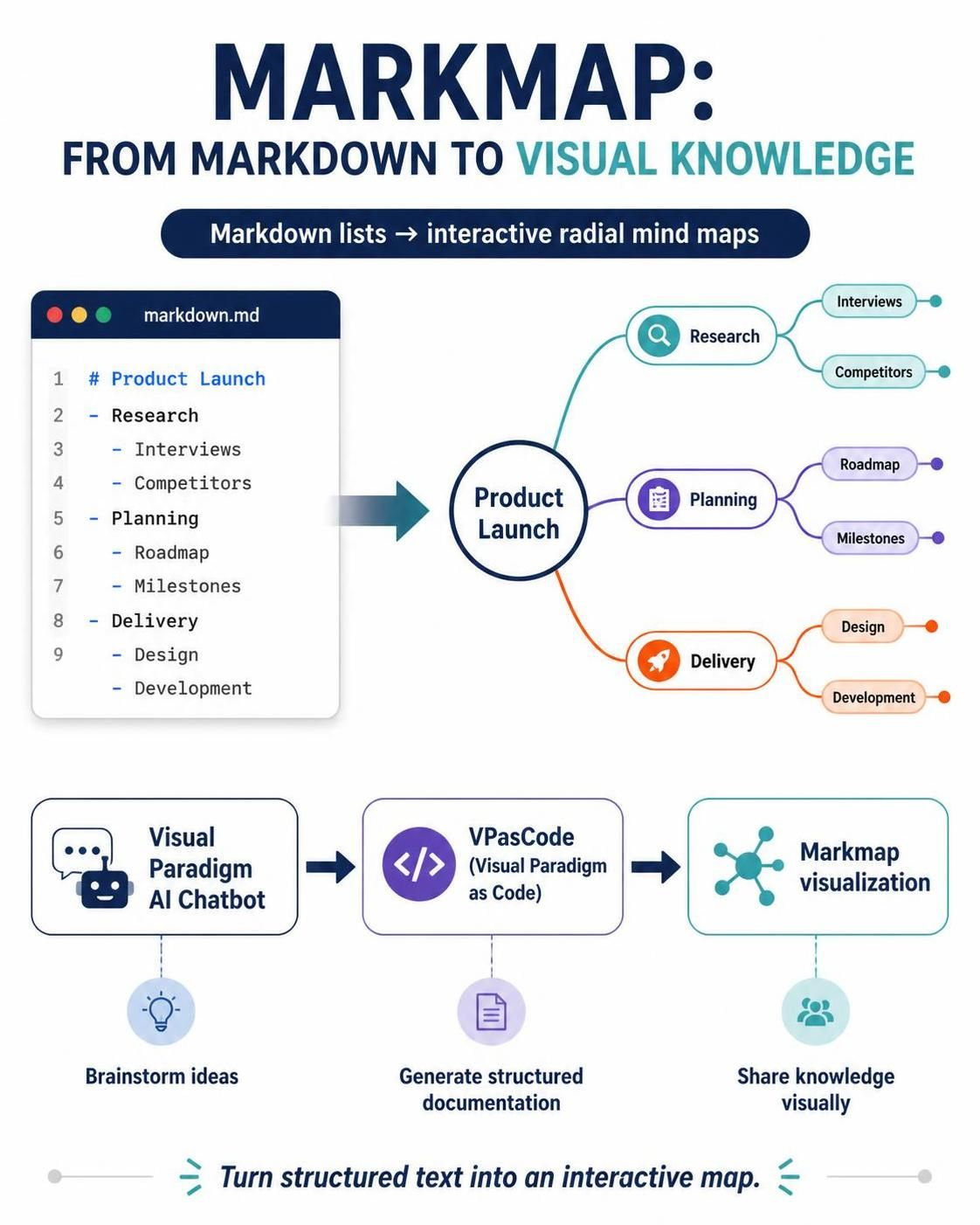
In the fast-paced world of product management and software development, clarity is king. Traditional linear documentation often fails to capture the non-linear nature of human thought, strategic planning, and complex system architectures. Enter Markmap, a powerful open-source tool that bridges the gap between simple text and visual structure. By converting Markdown lists into interactive, radial mind maps, Markmap allows teams to visualize ideas instantly.
However, the true power of Markmap is unlocked when integrated into a robust ecosystem. When paired with Visual Paradigm’s AI Chatbot and the VPasCode (Visual Paradigm as Code) environment, it transforms from a simple visualization tool into an automated engine for structural documentation. This guide explores how to leverage this integrated ecosystem to streamline brainstorming, planning, and knowledge sharing.
Key Concepts of Mind Mapping
Before diving into the tools, it is essential to understand the cognitive framework behind mind mapping. A mind map is not just a diagram; it is a reflection of how our brains associate information. It moves away from linear lists to a hierarchical web centered around a core concept.
The Four Structural Components
-
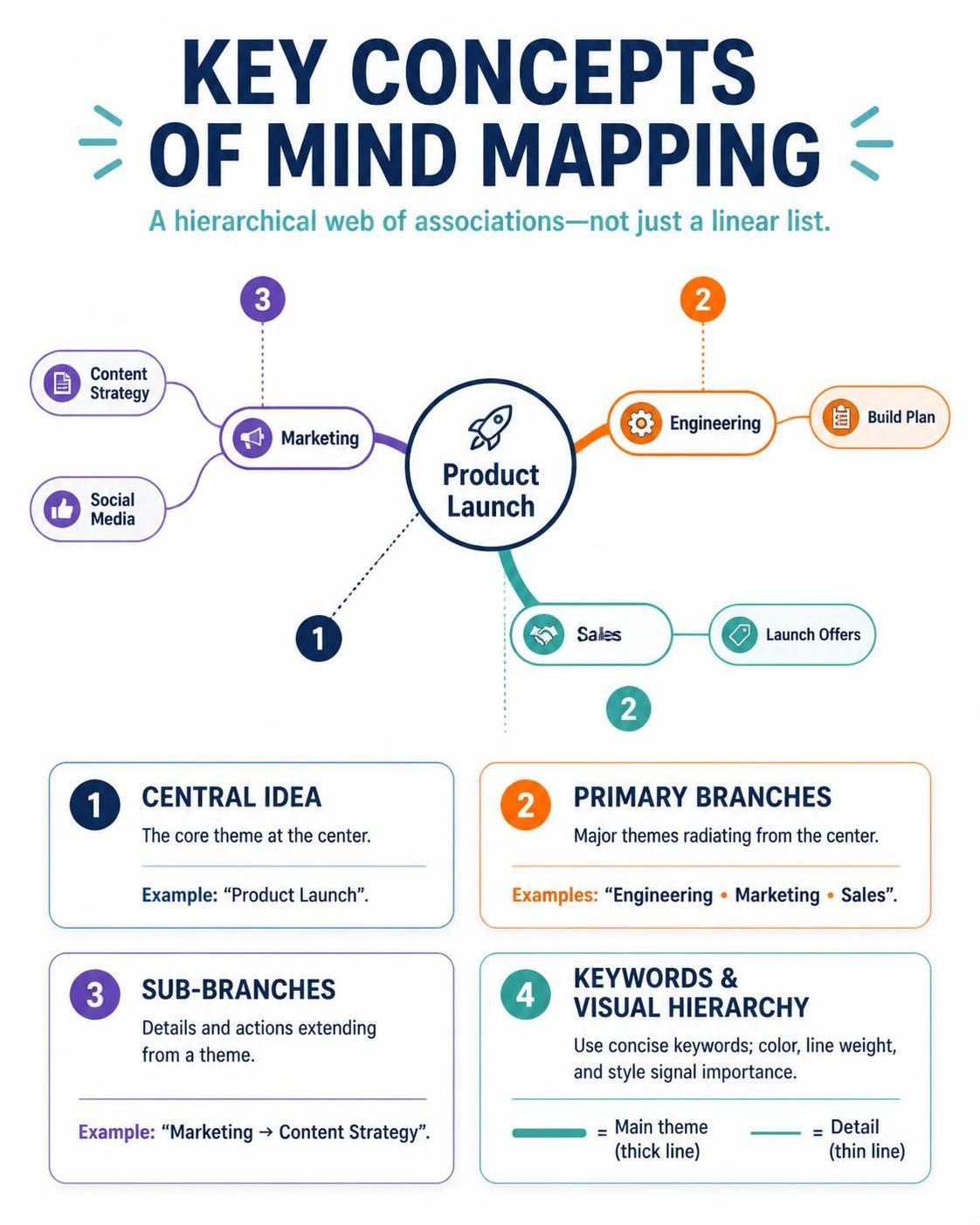
Central Idea:
-
Located at the very center of the canvas.
-
Represents the core theme, primary problem statement, or project title.
-
Example: “Q4 Product Launch” or “System Architecture Refactor.”
-
-
Branches (Primary Nodes):
-
The first-tier key themes radiating directly from the central idea.
-
These represent the major pillars of your topic.
-
Example: Under “Product Launch,” branches might be “Engineering,” “Marketing,” and “Sales.”
-
-
Sub-branches (Child Nodes):
-
Finer subsets of information extending outward from primary branches.
-
These break down high-level concepts into actionable items or detailed components.
-
Example: Under “Marketing,” sub-branches could be “Content Strategy” and “Social Media.”
-
-
Keywords & Visual Hierarchy:
-
Mind maps rely on brevity. Use concise keywords rather than full sentences.
-
Visual cues such as node thickness, color palettes, and line styles signal importance and contextual relationships, making the map scannable and intuitive.
-
The Markmap Syntax Rules
Markmap’s elegance lies in its simplicity. It uses standard Markdown syntax to define the structure of the mind map. You do not need to learn a new proprietary language; if you can write a bulleted list, you can create a mind map.
| Markdown Syntax | Mind Map Component | Visual Representation |
|---|---|---|
# Central Subject |
Central Root Node | The main central bubble. |
## Primary Level |
Main Branch (Tier 1) | Major thick lines branching off the center. |
### Secondary Level |
Sub-branch (Tier 2) | Thinner child lines stemming from Tier 1. |
- List Bullet 1 |
Leaf Node (Tier 3+) | Final endpoints or granular notes. |
Pro Tip: Use consistent indentation. Markmap interprets the depth of your list items (
-,-,-) to determine the hierarchy of the branches.
The Tooling Ecosystem: Visual Paradigm & VPasCode
While Markmap handles the visualization, Visual Paradigm provides the intelligence and automation layer. This ecosystem merges visual modeling with text-based editing using a modern Diagram-as-Code (DaC) paradigm.
1. Visual Paradigm AI Chatbot
The conversational layer acts as your dynamic brainstorming partner. Instead of manually constructing syntax, you engage in natural language dialogue.
-
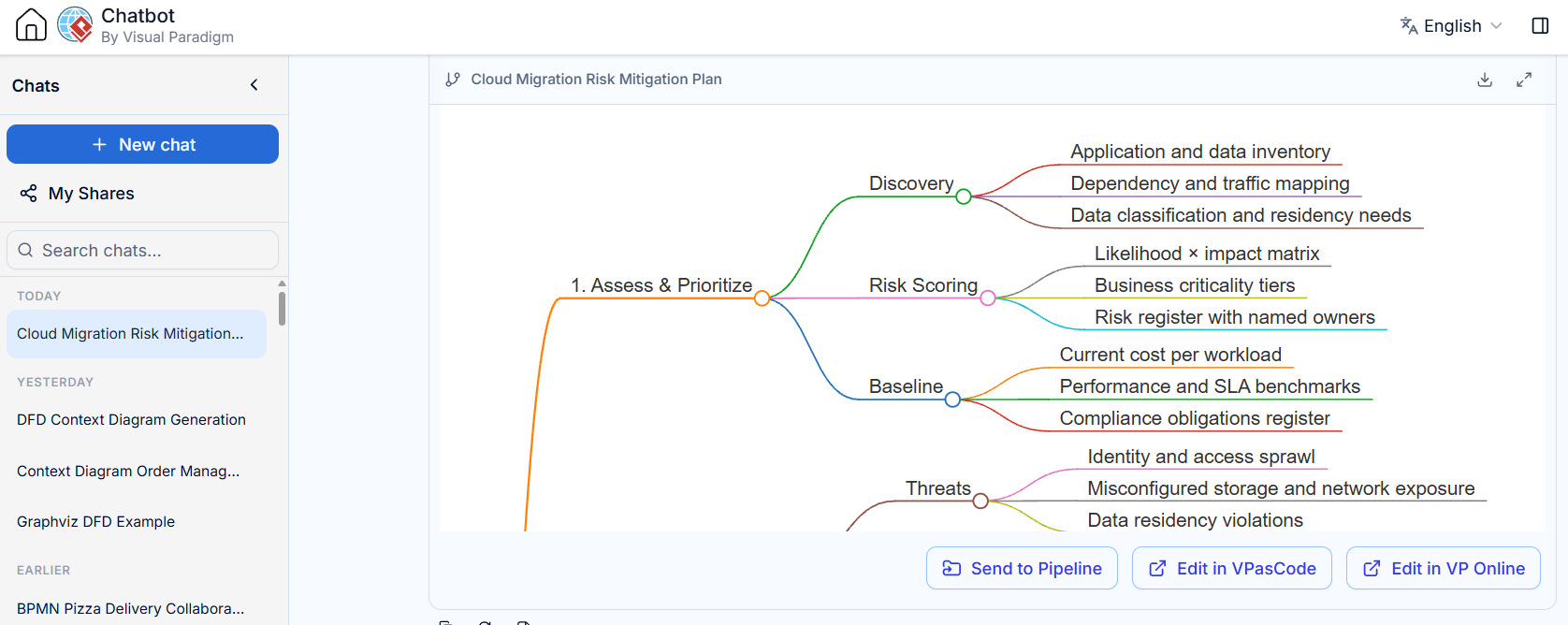
How it works: You describe a concept or strategy (e.g., “Map out a risk mitigation plan for a cloud migration”).
-
The Output: The chatbot interprets your strategic intent and auto-generates the corresponding structured Markdown code behind the scenes.
-
Benefit: Reduces the cognitive load of structuring data, allowing you to focus on ideation.
2. VPasCode Editor & AI Generator
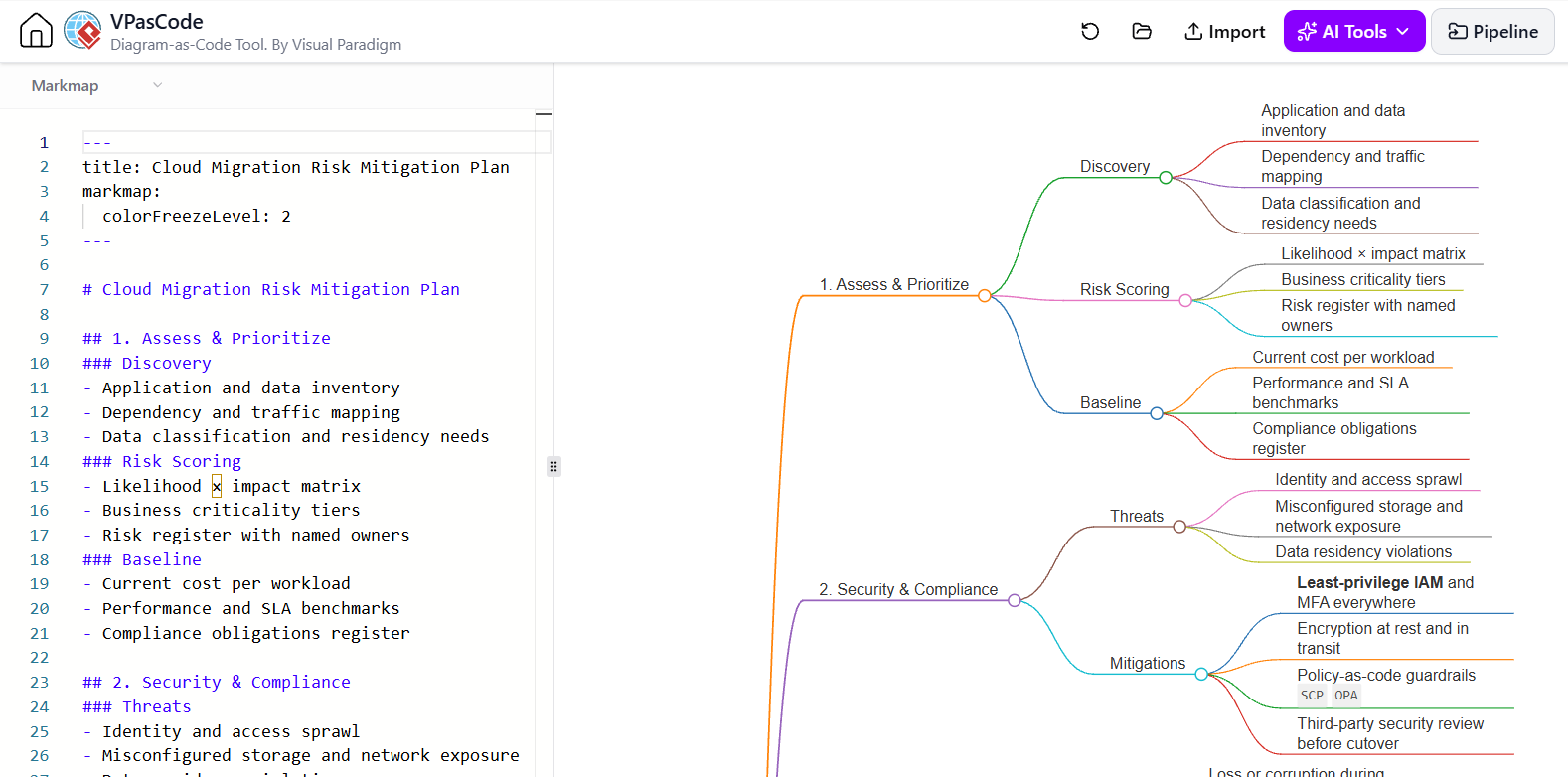
The VPasCode suite offers a split-pane interface that brings code and visualization together in real-time.
-
Live Rendering: On the left, you interact with the code editor; on the right, Markmap renders your changes instantly.
-
Iterative Prompts: Highlight a specific branch within VPasCode and use the embedded AI Generator toolbar to commands like “Expand on this subset” or “Detail this sub-task.” The AI will inject new child nodes automatically.
-
Pipeline Integration: Markmaps generated inside VPasCode are not static images. They can be plugged directly into automated document pipelines, publishing live, interactive mind maps to team wikis (like Confluence) or knowledge bases seamlessly.
Practical Example: SaaS Product Launch Plan
To see this ecosystem in action, consider a typical product management scenario: planning a SaaS launch. Below is the clean Markdown syntax generated by the Visual Paradigm AI assistant. You can copy and paste this directly into your Visual Paradigm Markmap Studio or VPasCode panel to see it auto-render.
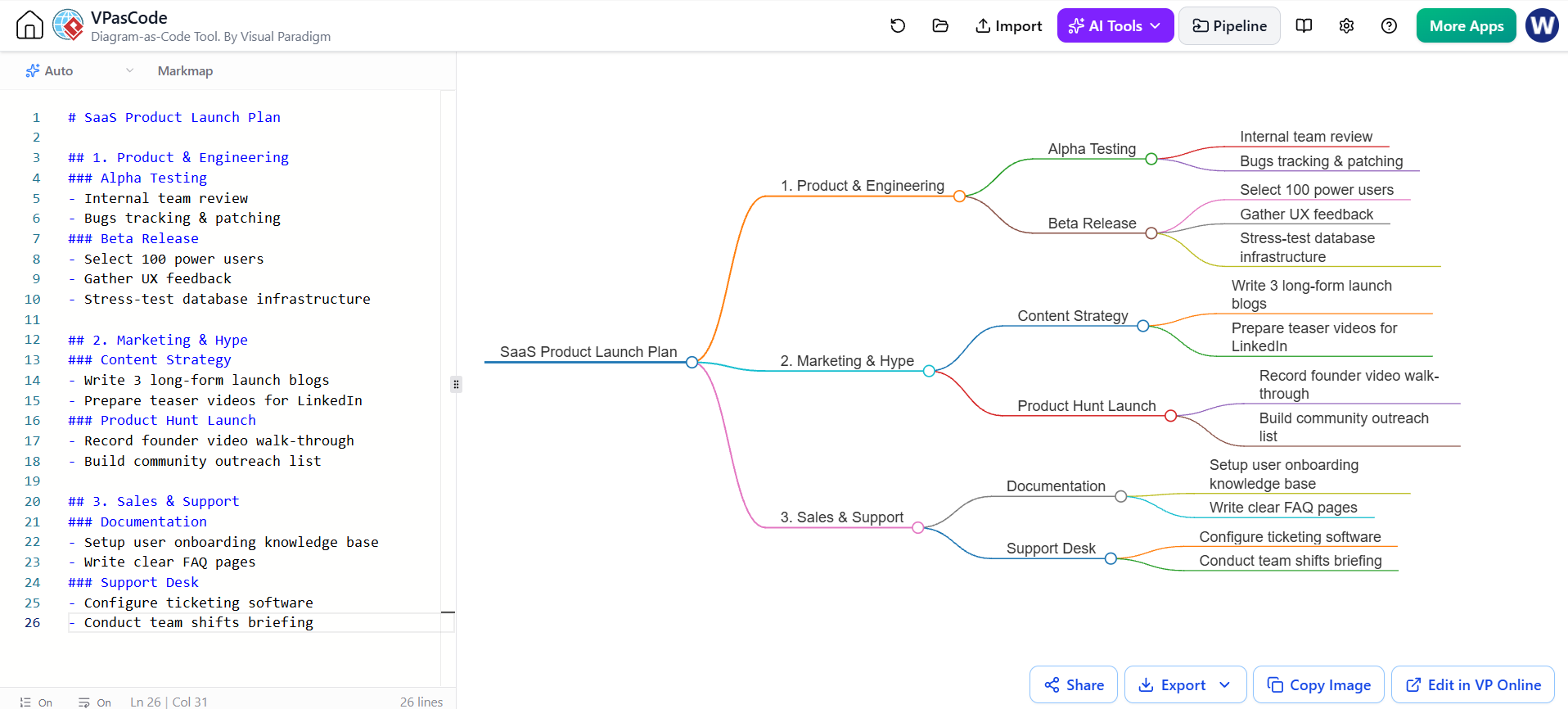
# SaaS Product Launch Plan

## 1. Product & Engineering
### Alpha Testing
- Internal team review
- Bugs tracking & patching
### Beta Release
- Select 100 power users
- Gather UX feedback
- Stress-test database infrastructure

## 2. Marketing & Hype
### Content Strategy
- Write 3 long-form launch blogs
- Prepare teaser videos for LinkedIn
### Product Hunt Launch
- Record founder video walk-through
- Build community outreach list

## 3. Sales & Support
### Documentation
- Setup user onboarding knowledge base
- Write clear FAQ pages
### Support Desk
- Configure ticketing software
- Conduct team shifts briefing
Why This Works
-
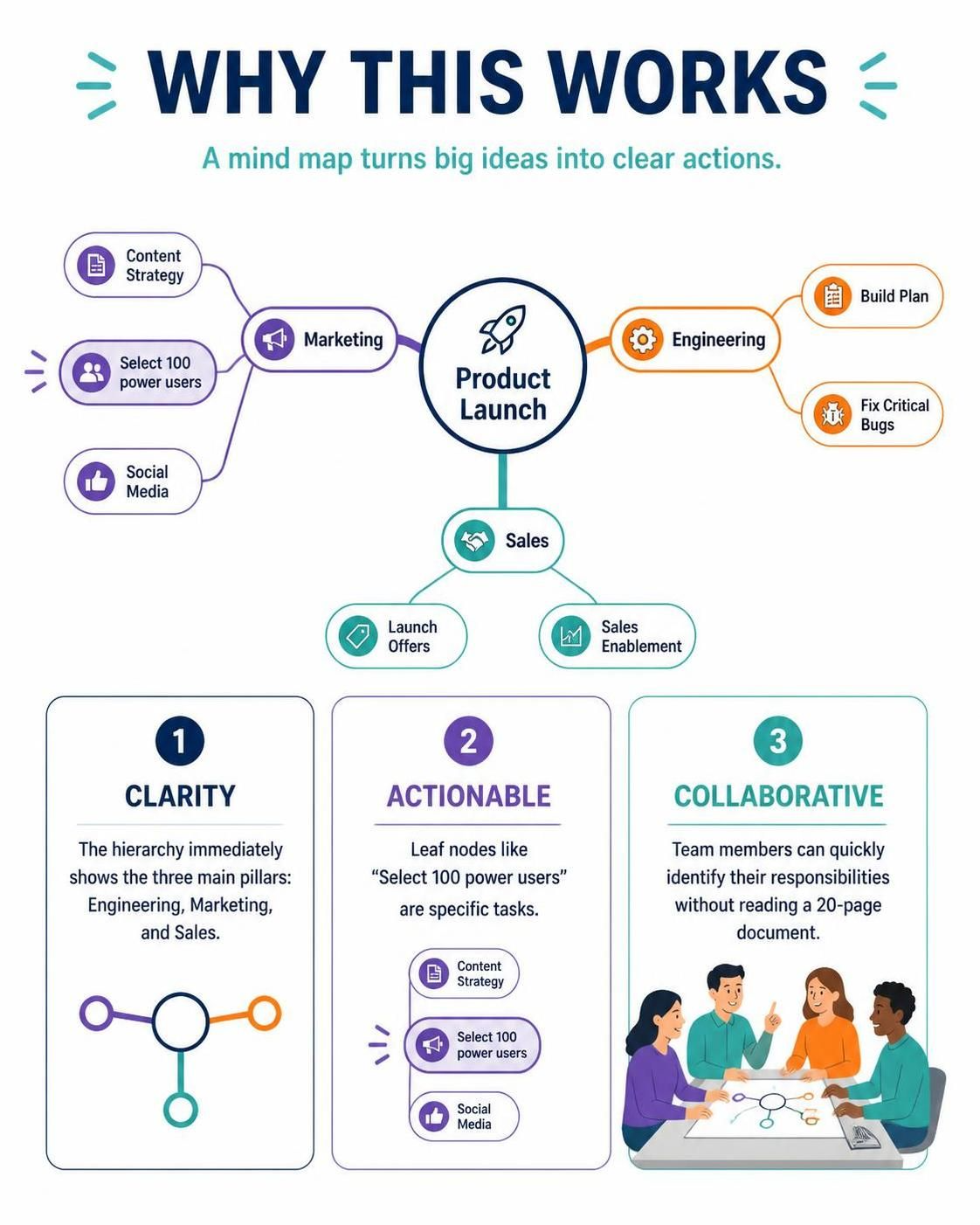
Clarity: The hierarchy immediately shows the three main pillars (Engineering, Marketing, Sales).
-
Actionable: Leaf nodes like “Select 100 power users” are specific tasks.
-
Collaborative: Team members can quickly identify their responsibilities without reading a 20-page document.
Conclusion
The combination of Markmap, Visual Paradigm AI, and VPasCode represents a significant shift in how we document and plan. By moving from static, linear documents to dynamic, code-driven mind maps, teams can achieve greater alignment and agility.
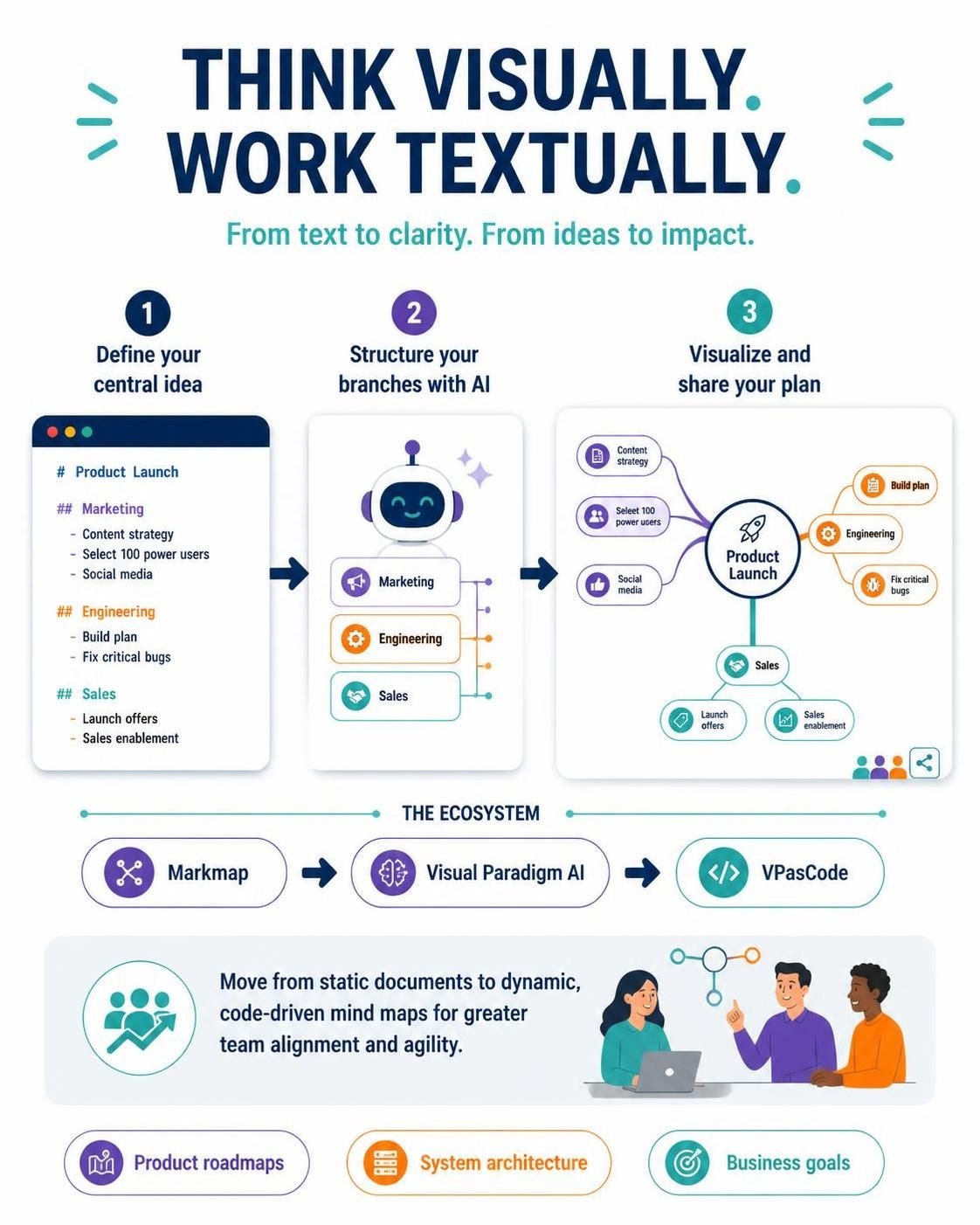
Whether you are a product manager outlining a roadmap, an engineer designing system architecture, or a strategist mapping out business goals, this ecosystem allows you to think visually while working textually. Start by defining your central idea, let the AI help structure your branches, and watch your plans come to life in real-time.