
Mastering Agile UML: From Whiteboard Sketches to Living Code Models
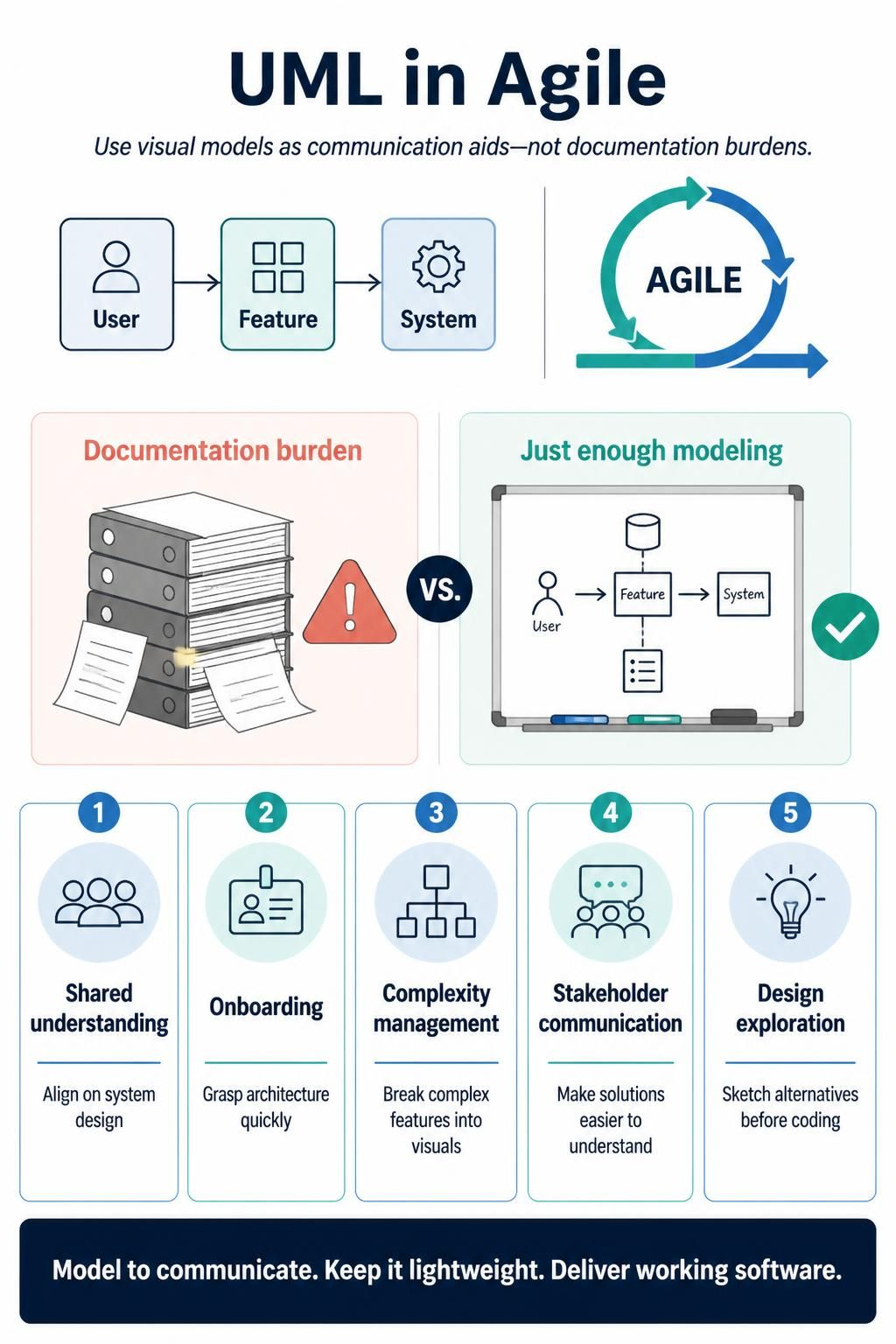
Unified Modeling Language (UML) has historically carried a reputation for being a tool of “heavyweight” development processes, often bogged down by exhaustive documentation requirements. However, in the modern Agile ecosystem, UML has evolved. When applied thoughtfully, it transforms from a bureaucratic hurdle into a powerful engine for clarity, communication, and architectural alignment.
The fundamental shift in mindset required for Agile UML is viewing diagrams as communication aids rather than static documentation artifacts. The goal is to create “just enough” visual models to enhance understanding without slowing down the delivery of working software.
The Agile Advantage: Why Model?
Agile principles prioritize working software over comprehensive documentation, yet they also value clear communication. UML bridges this gap by providing a standardized visual language that serves several critical purposes:
- Shared Understanding: Visual models act as a “Rosetta Stone,” helping developers, designers, and stakeholders align on complex system designs.
- Rapid Onboarding: New team members can quickly grasp the architecture and data relationships by looking at a diagram rather than digging through thousands of lines of code.
- Complexity Management: Breaking down massive features into small, digestible visual representations (like Sequence or Component diagrams) makes the abstract concrete.
- Stakeholder Communication: Non-technical stakeholders often struggle with technical jargon. A high-level UML diagram can explain a proposed solution more effectively than a written specification.
- Design Exploration: It is significantly faster to sketch three different architectural alternatives on a whiteboard than to code them all out.
💡 Pro Tip: The “Living Document” Rule
In traditional Waterfall projects, diagrams are often created once at the start and never touched again. In Agile, treat your UML as a living artifact. If the code changes significantly and the diagram no longer reflects reality, it has become technical debt. Either update it immediately or discard it—never let a diagram become an outdated relic.
Core Principles for Agile Modeling
To successfully integrate UML into an Agile workflow, teams should adhere to these five core principles:
- Just Enough, Just in Time: Do not attempt to diagram the entire system upfront (Big Design Up Front). Instead, create models only when you encounter complexity that is hard to discuss verbally or via text alone.
- Whiteboard Over Documentation: Prefer sketching on physical whiteboards, digital collaboration tools (like Miro or FigJam), or even napkins. The goal of the diagram is to facilitate a conversation, not to create a polished piece of art.
- Evolve with the Code: Diagrams should be updated when the code changes significantly. If a diagram requires manual maintenance that exceeds the value it provides, it is time to stop.
- Focus on Communication, Not Completeness: A good Agile UML diagram communicates a specific point. It does not need to show every single attribute, method, or relationship. Leave out the noise to focus on the signal.
- Collaborative Creation: The act of drawing the diagram together during refinement sessions or sprint planning builds shared understanding faster than a designer handing off a finished image.
Essential UML Diagrams for Agile Teams
There are 14 standard UML diagram types, but for Agile teams, the focus should be on high-value diagrams that aid in daily development:
- Use Case Diagrams: Ideal for capturing requirements and user stories.
- Sequence Diagrams: Essential for visualizing the flow of messages between objects over time.
- Class Diagrams: Useful for defining the static structure and relationships of the code.
- State Machine Diagrams: Critical for modeling complex object behaviors and lifecycle states.
- Component/Deployment Diagrams: Helpful for understanding system architecture and infrastructure.
The Future of Modeling: Tooling & AI
The biggest barrier to Agile modeling is often the effort required to maintain it. This is where modern tooling and Artificial Intelligence (AI) revolutionize the process, specifically through the integration of platforms like Visual Paradigm (VPasCode).
1. The Shift to “Model as Code”
Traditionally, models were proprietary binary files stored in repositories, making them difficult to version control, review, or generate code from automatically. Modern Agile workflows are moving toward Model as Code (similar to Infrastructure as Code). Tools like VPasCode allow you to define your system architecture using text-based syntax.
This approach offers several distinct advantages:
- Version Control: Diagram definitions are plain text, meaning they can be stored in Git, allowing for diffing, branching, and merging just like your application code.
- CI/CD Integration: You can automatically generate diagrams as part of your build pipeline to ensure documentation stays in sync with the code.
- Code Generation: Many of these tools can reverse-engineer code from diagrams or forward-generate boilerplate code from your models.
2. AI-Driven Diagram Generation
One of the most exciting developments is the use of AI to generate UML diagrams from natural language or existing codebases.
“Don’t draw the diagram, describe it.”
With AI integration, a developer can describe a feature requirement or point to a code snippet, and the AI can instantly render a relevant UML diagram. This drastically reduces the friction of creating models, making it feasible to apply UML “Just in Time.”
By combining the Visual Paradigm ecosystem with AI capabilities, Agile teams can finally fulfill the promise of UML: providing powerful visual clarity without the heavy documentation burden.