


New Introduction: Why Visual Modeling Matters for Agile Teams
Welcome, agile practitioners and visual thinking beginners! If you’ve ever sat in a sprint planning meeting struggling to sketch a user flow, or watched stakeholders nod politely while you explain a complex architecture on a whiteboard, you know the pain: ideas move fast, but documentation lags behind.
In agile environments, clarity beats perfection. A simple, shared visual can align a distributed team faster than a 20-slide deck. Yet traditional diagramming tools often demand steep learning curves—UML syntax, drag-and-drop precision, notation compliance—that pull focus from delivering value.
That’s where Visual Paradigm’s AI Chatbot changes the game. Born from real agile team needs, this conversational assistant lets you describe what you want to visualize in plain English—and instantly generates professional, standards-compliant diagrams. No modeling expertise required. No syntax memorization. Just talk, and see your ideas take shape.
This tutorial, crafted by an agile team for beginners, walks you through getting started, real-world examples, and why Visual Paradigm stands out in the crowded AI diagramming space. We’ll keep it practical, iterative, and human-centered—just like agile should be.
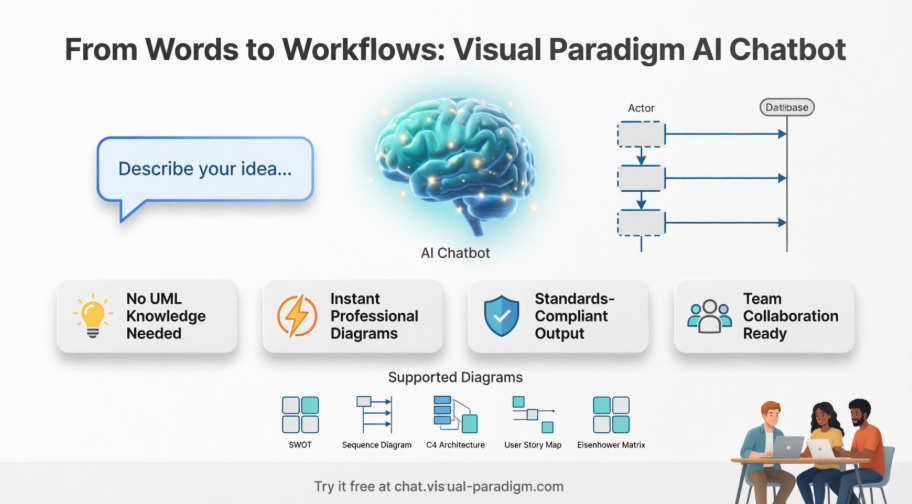
Getting Started: Your First 5 Minutes with the AI Chatbot
Step 1: Access the Chatbot
-
Quick Try: Visit https://ai-toolbox.visual-paradigm.com/app/chatbot/ for an instant demo (no sign-up needed).
-
Full Access: Create a free Visual Paradigm Online account at https://chat.visual-paradigm.com/ to unlock persistent history and diagram imports.
Step 2: Describe What You Need
Type naturally, as if explaining to a teammate:
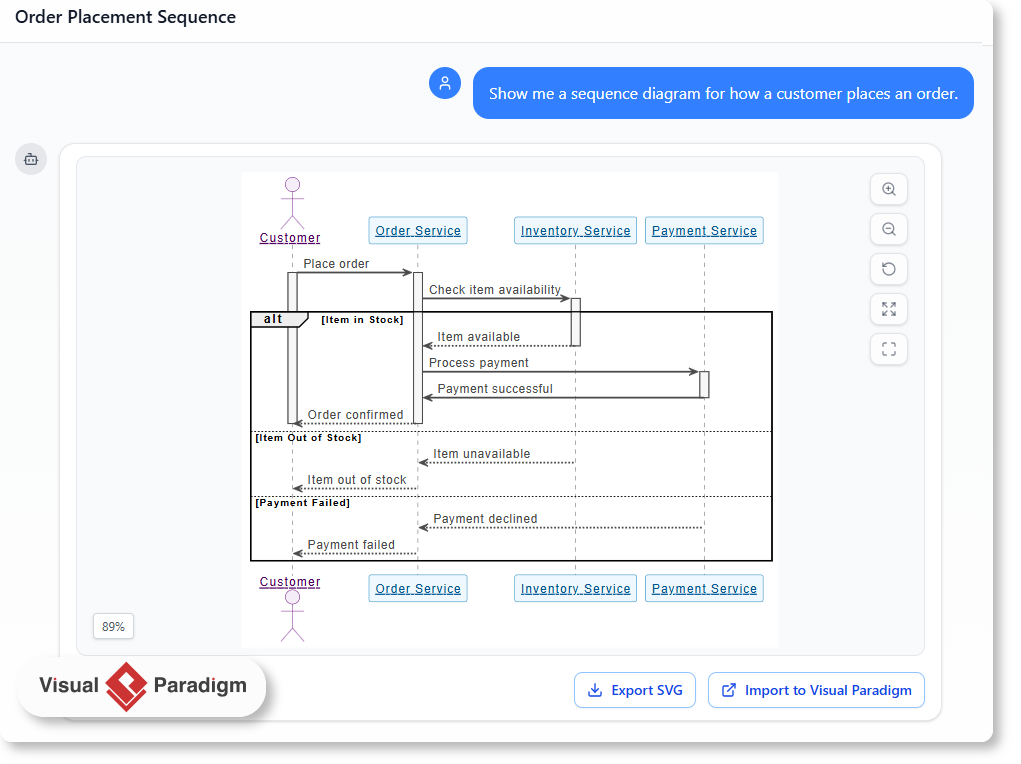
“Show me a sequence diagram for how a user logs into our mobile app”
The AI Chatbot processes your request and generates a clean, editable diagram in seconds.
Step 3: Review and Refine
-
Click any element to edit labels, colors, or connections
-
Ask follow-up questions: “Add a password reset flow” or “Explain this authentication step”
-
Export as PNG/SVG or share via URL for team feedback
Why Visual Paradigm AI Chatbot Stands Out: An Agile Team’s Perspective
After testing multiple AI diagramming tools across three sprints, our team identified four key differentiators that make Visual Paradigm the clear choice for agile workflows:
1. Native, Editable Diagrams—Not Static Images
Unlike general LLMs that output Mermaid code you must copy-paste elsewhere, Visual Paradigm generates native vector objects on an interactive canvas. Need to move a box? Just drag it. Want to color-code a risk item? Click and style. No code editing required.
2. Incremental Updates That Preserve Your Layout
When you ask to “Add a notification service” to an existing architecture diagram, Visual Paradigm injects the new element without scrambling your carefully arranged layout. General LLMs often regenerate the entire diagram from scratch—breaking visual continuity and team familiarity.
3. Standards Enforcement Without the Learning Curve
The AI Chatbot is trained on UML 2.5+, ArchiMate, BPMN, and business frameworks. It won’t let you create an invalid relationship (like connecting a use case directly to a database table). You get professional-grade notation compliance—automatically.
4. Connected Modeling Across Your Workspace
Every AI-generated element is a structured data object. Create a “User” class in a sequence diagram? That same object appears in your Class diagram, ERD, or API spec. This connected metadata is gold for agile teams maintaining living documentation.
| Capability | General LLM + Mermaid | Visual Paradigm AI Chatbot |
|---|---|---|
| Output Format | Text code strings | Native editable GUI objects |
| Layout Preservation | Regenerates entire diagram | Incremental, layout-aware updates |
| Notation Accuracy | Risk of syntax errors | Governed by UML/BPMN rule engines |
| Team Collaboration | Static image sharing | Shared workspace with versioning |
Step-by-Step Tutorial: Creating a SWOT Analysis for Sprint Retrospectives
Let’s walk through a real agile scenario: preparing a visual retrospective for leadership.
Scenario
Your team just completed a sprint launching a new feature. Leadership wants a quick visual summary of strengths, weaknesses, opportunities, and threats before approving the next phase.
Step 1: Open the Chatbot and Describe Your Need
Type:
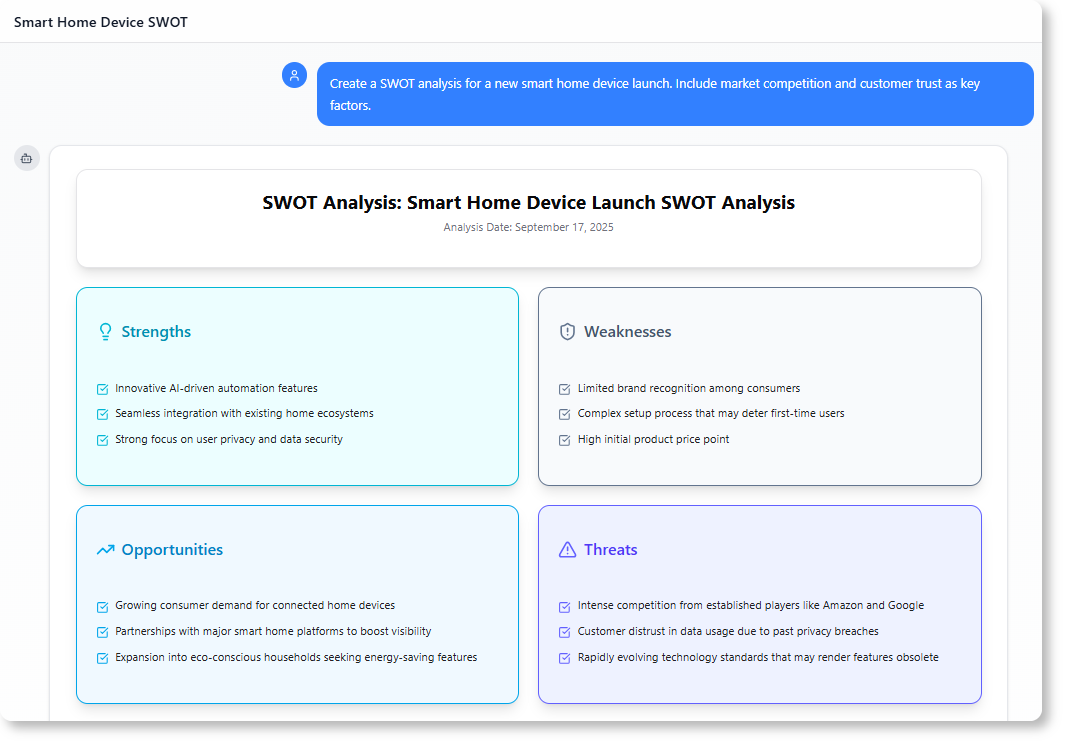
“Create a SWOT analysis for our new smart home device launch. Include market competition and customer trust as key factors.”
Step 2: Review the Generated Diagram
The AI Chatbot instantly produces a structured SWOT matrix with categorized items.
Step 3: Refine Through Conversation
Ask follow-ups to deepen the analysis:
-
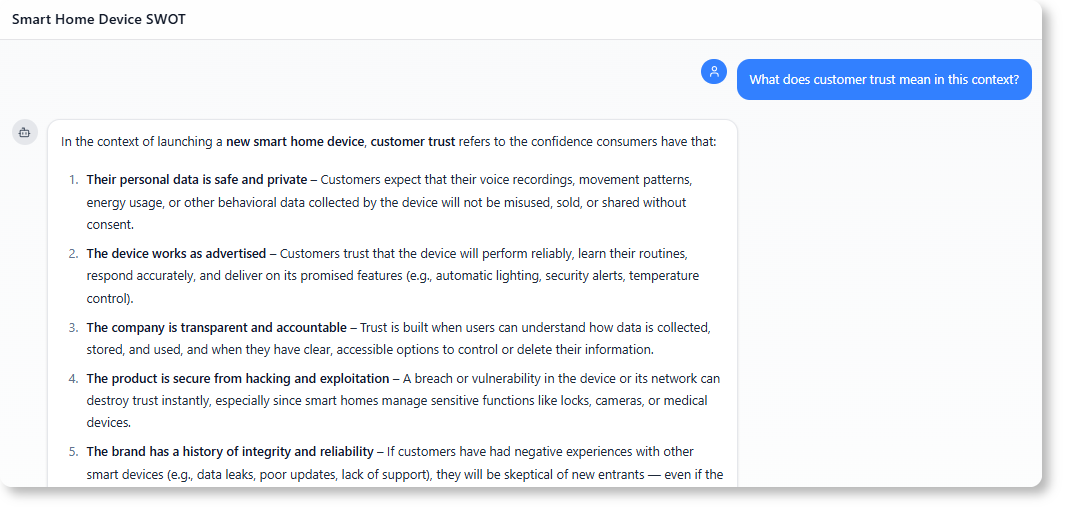
“What does customer trust mean in this context?”
-
“Add regulatory risks to the Threats section”
-
“Suggest mitigation strategies for the top Weakness”
The chatbot responds with targeted suggestions and updates the diagram accordingly.
Step 4: Share and Iterate
-
Export as PNG for your sprint review slide deck
-
Share the chat session URL so stakeholders can explore the reasoning
-
Import the diagram into Visual Paradigm Desktop for advanced editing (requires Professional/Enterprise license)
Real-World Examples for Agile Beginners
Example 1: User Story Mapping
Prompt: “Generate a user story map for an e-commerce checkout flow, with epics and user tasks”
Outcome: A horizontal timeline showing customer journey stages, with draggable story cards underneath—perfect for backlog refinement sessions.
Example 2: Architecture Decision Record (ADR) Visualization
Prompt: “Create a C4 system context diagram for our microservices payment module”
Outcome: A standards-compliant C4 diagram showing system boundaries, dependencies, and data flows—ready for engineering review.
Example 3: Risk Assessment for Release Planning
Prompt: “Draw an Eisenhower Matrix for our Q3 release risks: high impact/low effort items first”
Outcome: A prioritized 2×2 matrix that helps the team focus mitigation efforts where they matter most.
Example 4: Onboarding New Team Members
Prompt: “Show a simple activity diagram for our CI/CD pipeline”
Outcome: A clear visual workflow that accelerates ramp-up time for new developers or QA engineers.
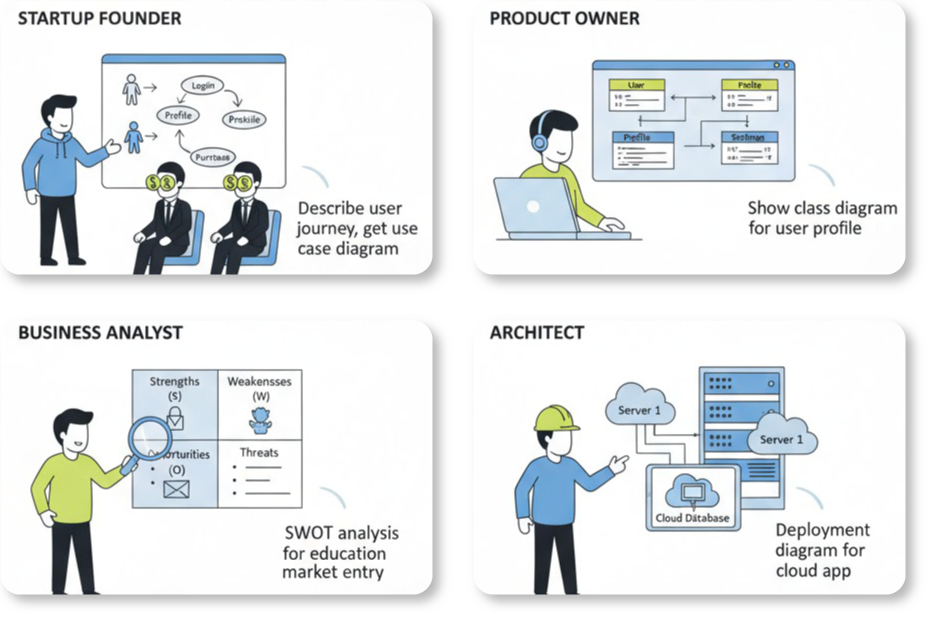
Platform Integration: Desktop vs. Online for Agile Workflows
The Integrated Advantage
Visual Paradigm’s AI Chatbot lives in Visual Paradigm Online (VP Online), but Desktop license holders (Professional/Enterprise) get seamless access:
-
One Account, Two Environments: Your workspace syncs across cloud and desktop—no manual exports needed
-
Flexible Access: Use the chatbot in-browser during standups, or inside Desktop during deep modeling sessions
-
Import Power: Generated diagrams can be imported directly into Desktop for advanced editing, version control, and team repositories
Quick Setup for Agile Teams
-
Existing Desktop License Holders: Sign up for a free VP Online account, then log in from within your Desktop app
-
New Users: Start with the free online tier; upgrade to Desktop Professional when you need advanced import or ArchiMate support
-
Team Collaboration: Share chat session URLs in Slack or Teams for async feedback; use VP Online workspaces for real-time co-editing
Pro Tips from Our Agile Team
Tip 1: Start Simple, Then Iterate
Don’t try to generate a perfect enterprise architecture in one prompt. Begin with: “Show a basic sequence diagram for user login” then refine: “Add OAuth2 flow” → “Include error handling paths”
Tip 2: Use Business Language, Not Technical Jargon
The AI understands both. Say “customer places an order” instead of “POST /api/orders with JWT auth” for clearer stakeholder communication.
Tip 3: Leverage Follow-Up Questions
After a diagram generates, ask:
-
“What assumptions did you make here?”
-
“Show alternative approaches for this component”
-
“Export this as a PNG for our presentation”
Tip 4: Combine with Agile Ceremonies
-
Sprint Planning: Generate user flow diagrams to clarify acceptance criteria
-
Retrospectives: Create SWOT or Fishbone diagrams to visualize improvement areas
-
Backlog Refinement: Use class or activity diagrams to decompose complex epics
Common Questions—Answered by Our Team
Q: Do I need to know UML or ArchiMate?
A: Not at all. Describe your idea in plain language. The AI handles notation compliance behind the scenes.
Q: Can I use this for non-software diagrams?
A: Absolutely. Business frameworks (SWOT, PEST, Ansoff), process maps, and strategy canvases are all supported.
Q: How do we handle sensitive data?
A: Visual Paradigm offers enterprise deployment options with data residency controls. Check with your admin for org-specific policies.
Q: What if the AI misunderstands my prompt?
A: Refine iteratively. Add context: “I mean a mobile app, not web” or “Focus on the payment step only”. The chatbot learns from your corrections.
Q: Can multiple team members collaborate on one diagram?
A: Yes—via VP Online workspaces. Share a session URL for real-time co-editing, or use Desktop with version control for formal reviews.
New Conclusion: Empowering Agile Teams Through Conversational Visuals
Visual Paradigm’s AI Chatbot isn’t just another AI feature—it’s a mindset shift for agile teams. By removing the friction between idea and visualization, it empowers everyone—from product owners to developers to stakeholders—to participate in visual modeling. No gatekeeping. No syntax barriers. Just clear, shared understanding.
For beginners, this means you can start creating professional diagrams today, without weeks of training. For experienced modelers, it means faster iteration, standards compliance, and seamless integration with enterprise workflows. And for agile teams overall, it means documentation that evolves at the speed of delivery—not as an afterthought, but as a living artifact of collaboration.
The future of agile isn’t just about moving fast. It’s about moving together, with clarity. When words become visuals instantly, conversations become decisions faster, and ideas become impact sooner. That’s the promise of conversational modeling—and with Visual Paradigm’s AI Chatbot, it’s already here.
Start small. Describe one workflow. Share one diagram. Iterate with your team. You’ll quickly discover that the most powerful agile tool isn’t a framework or a ceremony—it’s a shared visual language, built together, one conversation at a time.
References
- AI Chatbot Feature Page: Official feature overview of the AI-powered conversational modeling assistant that transforms natural language into standards-compliant diagrams.
- AI Chatbot Access Portal: Direct access point to the conversational AI chatbot for instant diagram generation and interactive modeling assistance.
- Visual Paradigm Pipeline: AI Modeling Ecosystem Bridge: Technical guide explaining how the AI Chatbot integrates with the broader Visual Paradigm modeling ecosystem and workflow pipeline.
- AI Chatbot: Turn Ideas into Diagrams Instantly: Blog post showcasing practical use cases and workflows for converting natural language descriptions into professional diagrams.
- What Makes Visual Paradigm’s AI Chatbot Different: Comparative analysis highlighting the technical advantages of Visual Paradigm’s specialized AI modeling assistant over general-purpose LLM diagram tools.
- How to Turn Requirements into Diagrams with an AI Chatbot: Step-by-step tutorial on leveraging the AI Chatbot to transform business and technical requirements into visual models.
- AI Toolbox: Try the Chatbot Instantly: No-signup demo environment for experiencing the Visual Paradigm AI Chatbot’s diagram generation capabilities with limited functionality.
- Visual Paradigm AI Chatbot Tool Page: Dedicated landing page for the AI Chatbot tool with feature highlights and access instructions.