


In the fast-paced world of project management and software development, communicating complex architectures or business strategies often hits a bottleneck: the time required to create professional diagrams. Traditional modeling requires a deep understanding of syntax, specific notation rules, and manual formatting. The Visual Paradigm AI Chatbot represents a paradigm shift in this process, leveraging artificial intelligence to transform natural language descriptions into precise, standard-compliant diagrams.
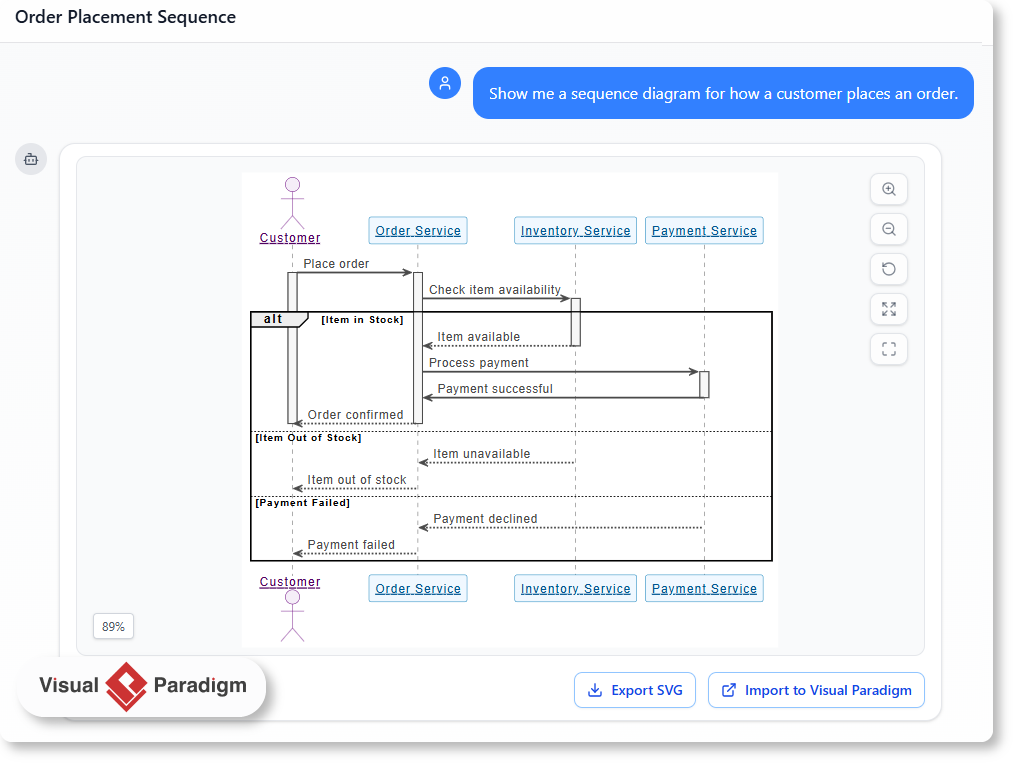
Understanding the Visual Paradigm AI Chatbot
The Visual Paradigm AI Chatbot is an advanced intelligent assistant designed specifically for visual modeling. Unlike generic large language models (LLMs) that generate text, this tool is fine-tuned to understand the structural requirements of diagrams such as UML, SysML, C4, and various business analysis frameworks.
Its primary function is to interpret user intent through plain English descriptions and immediately render accurate visual representations. Whether a user says, “Show me a sequence diagram for how a customer places an order,” or “Create a SWOT analysis for a new market entry,” the AI analyzes the context, relationships, and necessary components to build the diagram automatically.
Why Shift to AI-Powered Diagramming?
The transition from manual drafting to AI-assisted generation offers several distinct advantages for professionals:
- Eliminating Syntax Barriers: Users no longer need to memorize the specific arrow heads for aggregation versus composition in UML. The AI handles the technical compliance, allowing the user to focus on the logic.
- Rapid Prototyping: What previously took hours of dragging and dropping shapes now takes seconds. This speed allows for real-time diagramming during meetings.
- Contextual Understanding: The AI is trained on domain-specific patterns. It distinguishes between a software architecture request and a business strategy request, ensuring the output is relevant to the field.
Practical Use Cases across Industries
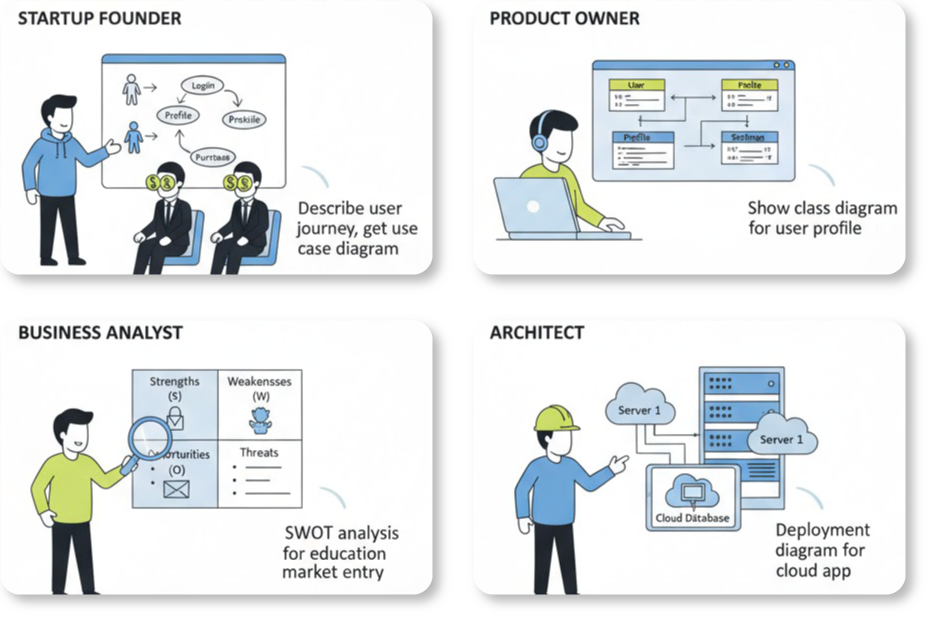
The versatility of the Visual Paradigm AI Chatbot makes it a valuable asset across various roles. Here is how different professionals utilize the tool:
1. Software Architecture and Development
Developers and architects often need to document systems or explain workflows to non-technical stakeholders. A cloud architect might ask, “Generate a deployment diagram for a cloud-based app with three servers,” and the chatbot will produce a diagram with correctly labeled nodes, connections, and artifacts.
2. Product Management
Product owners can clarify feature usage without waiting for a designer. By requesting a use case diagram for a specific user journey, they can instantly visualize the scope of a new feature.
3. Business Analysis
Business analysts can move beyond text-based reports. By describing a market scenario, they can generate SWOT analyses, PESTLE charts, or Ansoff Matrices to present to leadership. The visual format aids in quicker decision-making and strategy refinement.
Step-by-Step Workflow: A Real-World Example
To illustrate the power of the tool, consider a marketing team evaluating a new smart home product launch. Instead of manually drawing a matrix, the workflow looks like this:
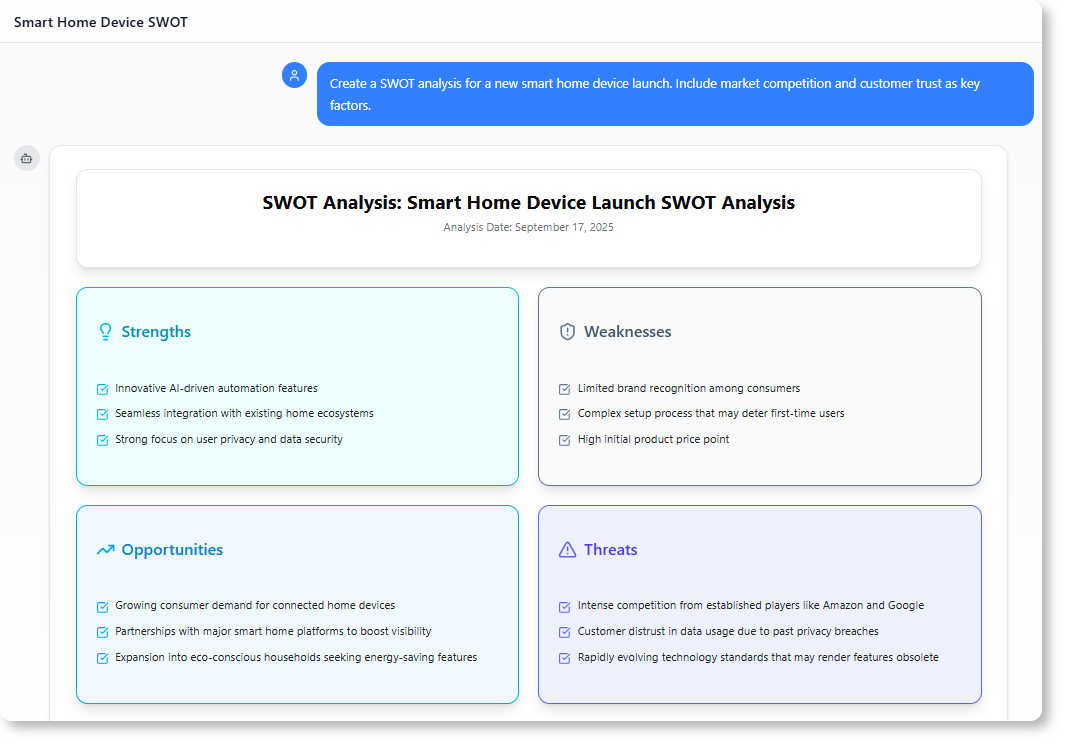
- Input: The user types a natural language prompt: “Create a SWOT analysis for a new smart home device launch. Include market competition and customer trust as key factors.”
- Processing: The AI interprets the request, identifying “SWOT” as the structure and segregating the input data into Strengths, Weaknesses, Opportunities, and Threats.
- Output: A structured, professional diagram is generated instantly.
- Refinement: The tool encourages iterative thinking by suggesting follow-up questions, such as “Can we add a PESTLE analysis to this?” allowing the team to expand their strategic view without starting over.
Supported Diagram Types and Standards
One of the key differentiators of the Visual Paradigm AI Chatbot is its broad support for industry standards. It is not limited to simple flowcharts.
| Category | Supported Diagram Types |
|---|---|
| Software Modeling (UML) | Use Case, Class, Sequence, State Machine, Activity Diagrams |
| System Architecture | C4 System Context, C4 Deployment, SysML |
| Enterprise Architecture | ArchiMate (20+ viewpoints) |
| Business Strategy | SWOT, PEST, Eisenhower Matrix, Ansoff Matrix |
Integration and Access: Desktop vs. Online
While the AI Chatbot is technically a feature of Visual Paradigm Online (VP Online), it is deeply integrated into the ecosystem to benefit desktop users as well. Understanding the access model is crucial for maximizing the tool’s utility.
For Visual Paradigm Online Users
The chatbot is natively available via the web interface. Users can start a chat, generate diagrams, and share the session URL with colleagues for collaboration. This requires no software installation and is accessible from any browser.
For Desktop (Professional & Enterprise) Users
Visual Paradigm offers a “Unified Account” approach. Users who hold a valid Desktop license (Professional or Enterprise Edition) with active maintenance receive dual access:
- Seamless Integration: Users can access the AI Chatbot directly within the Desktop application.
- Import Capabilities: Full access allows users to import the AI-generated diagrams directly into the Desktop environment for further editing. Note: Importing ArchiMate diagrams specifically requires the Enterprise Edition license.
- No Additional Purchase: Existing qualifying desktop users do not need to buy VP Online separately. They simply need to sign up for a free VP Online account and log in via their Desktop client to unlock these features.
Conclusion
The Visual Paradigm AI Chatbot is more than a convenience tool; it is a productivity multiplier for anyone involved in system modeling or business strategy. By bridging the gap between natural language and technical diagramming standards, it allows teams to communicate more effectively, visualize complex systems instantly, and focus on innovation rather than formatting.
-
AI-Assisted UML Class Diagram Generator – Visual Paradigm: An interactive, step-by-step tool to help users create UML class diagrams with AI-powered suggestions, validation, PlantUML export, and design analysis.
-
From Problem Description to Class Diagram: AI-Powered Textual Analysis: Explore how Visual Paradigm uses AI to convert natural language problem descriptions into accurate class diagrams for software modeling.
-
How AI Enhances Class Diagram Creation in Visual Paradigm: This blog explores how Visual Paradigm leverages AI to automate and improve the creation of class diagrams, making software design faster and more accurate.
-
Streamlining Class Diagrams with Visual Paradigm’s AI: This article explains how Visual Paradigm’s AI-powered tools reduce the complexity and time required to create accurate class diagrams for software projects.
-
Real-Life Case Study: Generating UML Class Diagrams with Visual Paradigm AI: A detailed case study showcasing how Visual Paradigm’s AI assistant successfully transformed textual requirements into accurate UML class diagrams in a real-world project.
-
Comprehensive Tutorial: Generate UML Class Diagrams with Visual Paradigm’s AI Assistant: Step-by-step guide demonstrating how to use Visual Paradigm Online’s AI assistant to create precise UML class diagrams from plain text input.
-
Creating a UML Class Diagram for a Library System Using AI and Visual Paradigm: A practical blog post that walks through building a UML class diagram for a library management system using Visual Paradigm’s AI assistant.
-
Interactive AI Chat for UML Class Diagram Generation: A conversational AI interface that allows users to generate UML class diagrams through natural language interaction directly in the browser.
-
AI-Assisted UML Class Diagram Generator – Visual Paradigm AI Toolbox: A dedicated AI-powered application that enables developers to generate UML class diagrams from text descriptions with minimal manual input.
-
Building a Hotel Reservation System Class Diagram with Visual Paradigm AI: A hands-on tutorial guiding users through the creation of a comprehensive UML class diagram for a hotel reservation system using Visual Paradigm’s AI capabilities.
-
MVC System Architecture Generator Archives – Visual Paradigm AI: A Controller Class Diagram is a specialized diagram used in MVC (Model–View–Controller) architecture to represent the controller layer of a system.
-
Enroll in Course Example | AI MVC System Architecture Generator – Visual Paradigm AI: See how the Enroll in Course use case in an e-learning platform is expanded into MVC architecture. Generate controller class diagrams and MVC sequence …
-
Case Study: How AI-Powered Modeling Software Builds a Complete Online Shopping System UML Diagram – Visual Paradigm Guides: 9 Oct 2025 · Below is a step-by-step walkthrough of how a developer used AI-powered modeling software to build a complete UML Class Diagram.
Related posts:
 Visual Modeling in 2026: The AI-Driven Renaissance of UML, BPMN, and ArchiMate
Comprehensive Guide to Understanding & Working with Swimlane Activity Diagrams: The Pizza Delivery Process
AI-Powered UML Diagrams: A Modern Approach to Software Modeling
The Complete Guide to AI-Powered UML Modeling with Visual Paradigm
Visual Modeling in 2026: The AI-Driven Renaissance of UML, BPMN, and ArchiMate
Comprehensive Guide to Understanding & Working with Swimlane Activity Diagrams: The Pizza Delivery Process
AI-Powered UML Diagrams: A Modern Approach to Software Modeling
The Complete Guide to AI-Powered UML Modeling with Visual Paradigm