


Introduction
In the fast-paced world of software architecture and product management, time is often the scarcest resource. For professionals like myself, who bridge the gap between technical execution and strategic vision, the ability to rapidly visualize complex systems is invaluable. Traditionally, creating Unified Modeling Language (UML) diagrams has been a tedious, manual process involving drag-and-drop interfaces, strict syntax adherence, and significant boilerplate work.
Enter Visual Paradigm Desktop’s native AI Diagram Generation capabilities. As someone with a background in Human-Computer Interaction and extensive experience in product roadmapping, I was curious to see if this tool could truly transform plain-text descriptions into professional, standard-compliant UML models. This review explores how Visual Paradigm automates layout creation, enforces syntax rules, and integrates seamlessly with full desktop editing tools, offering a glimpse into the future of diagram-as-code workflows.
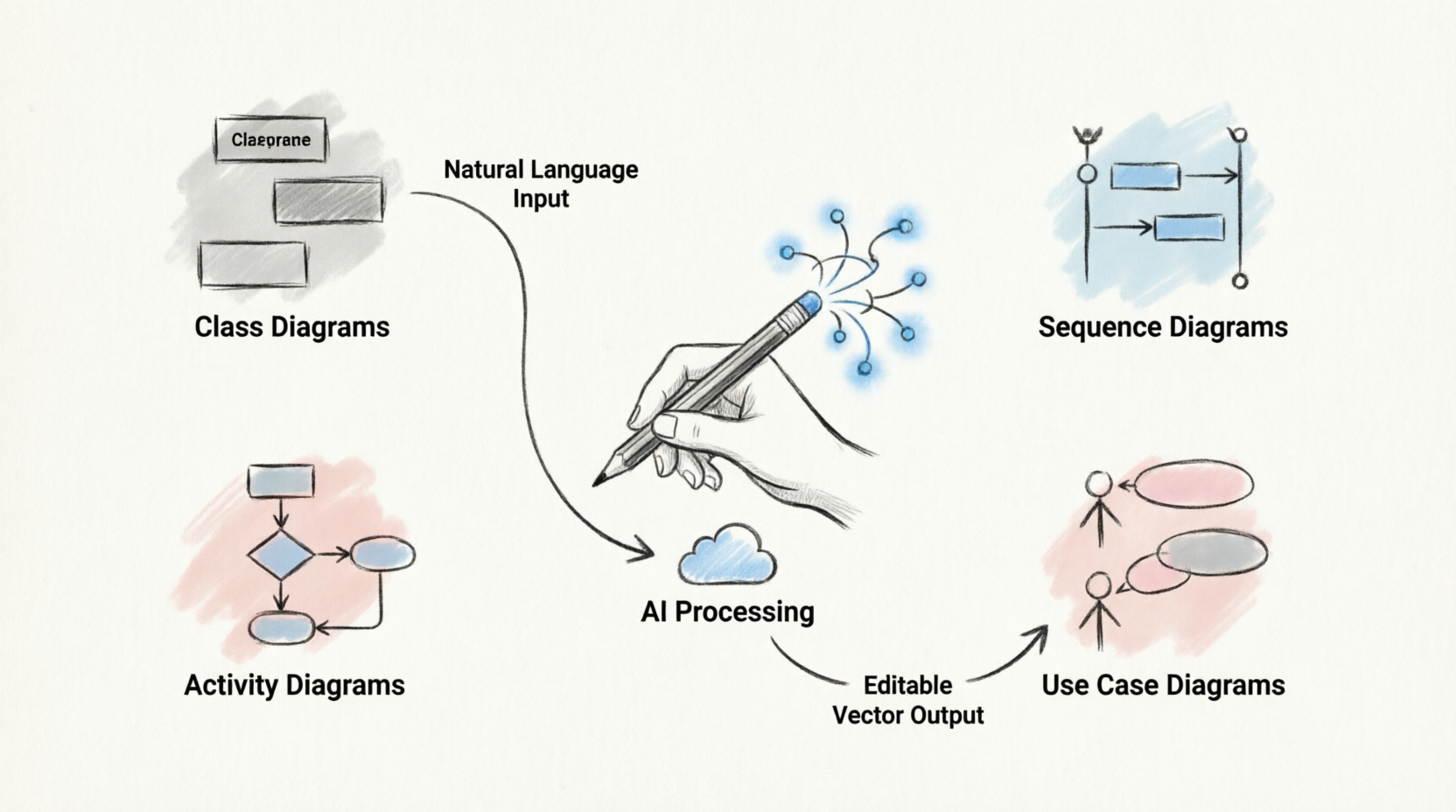
The Promise of AI-Driven Diagramming
Visual Paradigm’s AI engine is not just a novelty; it is a robust feature available to users on the Professional Edition or higher with an active software maintenance plan. The core promise is simple yet powerful: transform natural language prompts into structured, editable vector diagrams. This system automates the mundane aspects of diagramming, allowing architects and product managers to focus on logic and design rather than pixel-perfect alignment.
Supported UML Diagram Types
One of the most impressive aspects of the built-in AI tool is its versatility. It natively parses natural language prompts to structure over 13 distinct diagram types. This breadth ensures that whether you are mapping high-level system boundaries or diving deep into code-level structures, the tool has you covered.
The core UML notations supported include:
-
Class Diagrams: These maps structural components, automatically generating class attributes, operations, and cardinalities. This is particularly useful for backend developers and system architects who need to visualize object-oriented structures quickly.
-
Sequence Diagrams: Ideal for detailing chronological object lifelines and interaction messages, helping teams understand the flow of data and control across different system components.
-
Activity Diagrams: These visualize complex system decision logic and business workflow paths, making them essential for product managers documenting user journeys or business processes.
-
Use Case Diagrams: Perfect for mapping high-level boundaries between actors and system requirements, providing a clear overview of system functionality from a user perspective.
-
Component Diagrams: These model software modules like database layers and payment engines, offering a high-level view of the system’s physical architecture.
-
Package Diagrams: Useful for organizing logical model groupings and code subsystems, helping large teams maintain clarity in complex projects.
-
State Machine & Profile Diagrams: These outline entity state lifecycles and extended metaclasses, catering to more specialized modeling needs.
Core Workflow and Capabilities
Using the AI Diagram Generator is intuitive and follows a logical four-step process that aligns well with modern UX principles.
1. Natural Language Input
The journey begins with a simple prompt. Users enter structured functional descriptions via the Tools > AI Diagram menu. The interface accepts plain English, allowing you to describe your system in terms that feel natural rather than constrained by rigid syntax.
2. Intelligent Extrapolation
Once the prompt is submitted, the engine evaluates intent, extracts entity links, and fills in missing logical design details. This step is crucial because it reduces the cognitive load on the user. You don’t need to specify every single attribute or relationship; the AI infers reasonable defaults based on common patterns, which can then be refined.
3. Structured Preview & Review
For complex structures like class diagrams, Visual Paradigm offers an interactive multi-step wizard. This feature allows you to inspect identified attributes, operations, and relationships before finalization. This preview stage is a critical quality control checkpoint, ensuring that the AI’s interpretation aligns with your intended design.
4. Editable Vector Output
Perhaps the most significant advantage of Visual Paradigm’s approach is that the generated diagrams render onto the workspace canvas as native shapes, not flat images. This means every element is fully editable. You can click to alter styles, rename links, or inject custom logic using the Visual Paradigm Platform. This flexibility ensures that the AI-generated output is a starting point, not a final destination, allowing for precise customization.
Deployment Architecture & Synergy
Under the hood, the local engine leverages a text-based formatting pipeline. It often outputs editable Diagram-as-Code definitions like PlantUML alongside JSON configuration profiles. This design choice is brilliant for several reasons:
-
Version Control Friendly: Text-based definitions can be easily tracked in Git, allowing teams to collaborate on diagram changes just as they do with code.
-
Interoperability: Architects can push AI blueprints across standard project workflows seamlessly.
-
Ecosystem Integration: You can sync local assets directly with web-based repositories via the integrated Visual Paradigm Ecosystem Platform. This makes it easy to produce formatted PDF documentation or host standard version control files, bridging the gap between local design and team-wide dissemination.
Conclusion
Visual Paradigm’s AI Diagram Generation represents a significant leap forward in modeling efficiency. By combining the speed of natural language processing with the precision of native vector editing, it addresses many of the pain points associated with traditional UML tools. For product managers, system architects, and developers, this tool offers a compelling way to accelerate the design phase without sacrificing control or quality.
While it requires a Professional Edition license and an active maintenance plan, the time saved in boilerplate creation and the ease of iteration make it a worthwhile investment for teams serious about maintaining clear, up-to-date documentation. As AI continues to evolve, tools like Visual Paradigm are setting the standard for how we visualize and communicate complex systems.
Reference
- AI Diagram Generator Now Supports 13 Diagram Types: Announcement detailing the expansion of AI-supported diagram types in Visual Paradigm.
- Hands-On Review of Visual Paradigm’s UML Creation Methods: A third-party review exploring various methods for creating UML diagrams in Visual Paradigm, including AI features.
- Visual Paradigm Desktop AI Activity Diagram Generation: Release notes focusing on the AI capabilities for generating activity diagrams.
- From Prompt to Production: A Beginner’s Guide to AI Enhanced UML and Diagram as Code with Visual Paradigm: A comprehensive guide for beginners on using AI for UML and diagram-as-code workflows.
- Generate UML Class Diagrams with AI: An article specifically focused on using AI to generate class diagrams.
- AI Class Diagram Generator: Release information about the AI class diagram generator feature.
- AI Diagram Generator Now Supports 13 Diagram Types: Duplicate reference to the announcement of supported diagram types.
- Mastering Business Process Modeling: A Complete Guide to BPMN and AI Powered Diagram Generation with Visual Paradigm: A guide covering BPMN and AI-driven diagram generation.
- Comprehensive Review: Visual Paradigm’s AI Diagram Generation Features: A detailed third-party review of Visual Paradigm’s AI diagramming capabilities.
- AI Chatbot Features: Overview of the AI chatbot integration within Visual Paradigm.
- A Beginner’s Guide to AI Powered UML with Visual Paradigm: Introductory guide to using AI for UML modeling.
- AI Assisted UML Class Diagram Generator: Feature page detailing the AI-assisted class diagram generator.
- AI Component Diagram Generator Update: Release notes for updates to the AI component diagram generator.
- AI Diagram Generator: Package Diagrams: Information on AI support for package diagrams.
- AI Profile Diagram Generation: OpenDocs UML Support: Details on AI generation for profile diagrams and OpenDocs UML support.
- AI Diagram Generation Features: Main feature page for AI diagram generation in Visual Paradigm.
- YouTube Tutorial: AI Diagram Generation: Video tutorial demonstrating AI diagram generation features.
- Visual Paradigm Official Website: The official website for Visual Paradigm, providing access to tools and resources.
- Visual Paradigm Support Documents: User guide documentation for logical views and diagram editing.
- Mastering AI Powered UML Modeling: The Complete Guide to Visual Paradigm’s Generative AI Tools: A comprehensive guide to using Visual Paradigm’s generative AI tools for UML modeling.
Related posts:
 The Four Pillars of AI-Powered Visual Modeling in Visual Paradigm
 Mastering the 4 Pillars of AI in Visual Paradigm: A Comprehensive Tutorial & Experience Showcase
 A Comprehensive Review of Visual Paradigm’s Four AI-Powered Pillars
 Mastering UML Class Diagrams: A Review of Visual Paradigm’s Learning Resources